

The MacBook Neo is Apple’s newly announced entry‑level notebook, introduced in March 2026 as the most affordable MacBook ever sold. It is designed to bring the core macOS experience to students, families, and budget-conscious buyers, positioned below the MacBook Air in Apple’s lineup. Unlike Apple’s higher-end laptops, the MacBook Neo is powered by the A18 Pro chip, the same processor used in the iPhone 16 Pro, which delivers efficient everyday performance while supporting Apple Intelligence features and AI tasks. Running macOS Tahoe, it provides full access to Apple’s ecosystem, including apps like Safari, Pages, and Messages, along with seamless integration with iPhone and iCloud.
The MacBook Neo features a 13-inch Liquid Retina display with vibrant colors, a 1080p FaceTime HD camera, stereo speakers with spatial audio, and a base configuration of 8 GB unified memory and 256 GB SSD storage. For connectivity, it offers two USB‑C ports and a headphone jack. While some higher-end features are omitted to keep the price low—such as advanced GPU performance, Thunderbolt ports, or upgradeable memory—the Neo covers all essential tasks like web browsing, document work, video streaming, and light creative projects.
Available in multiple colors, including Indigo, Blush, Citrus, and Silver, the MacBook Neo is ideal for first-time Mac users, students, and anyone seeking the macOS experience at a compelling price point. It is not intended as a performance machine but rather as a practical, affordable option for daily computing and light productivity within Apple’s ecosystem.
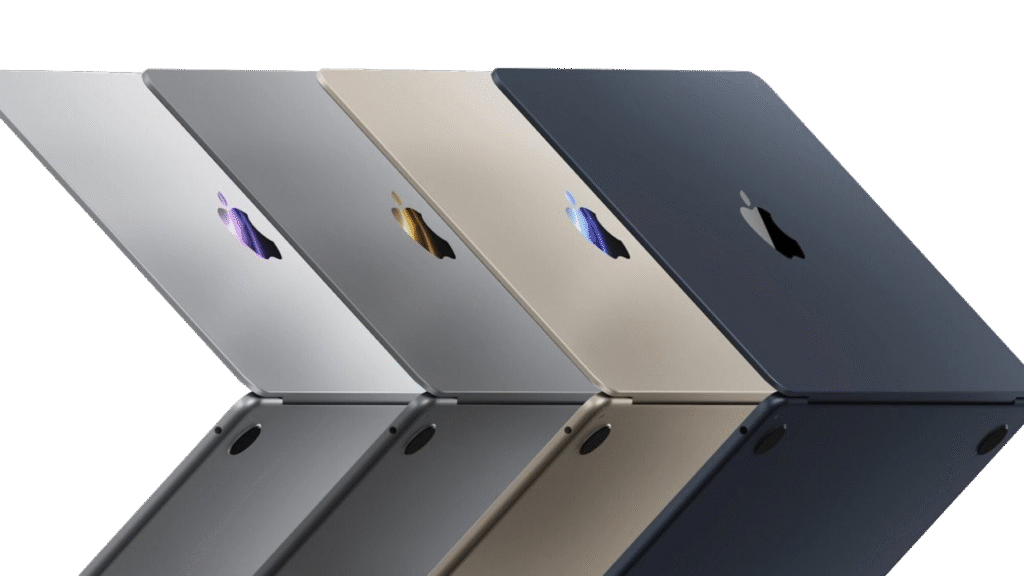
The MacBook Neo and the MacBook Air occupy different tiers in Apple’s laptop lineup, catering to different needs and budgets. The MacBook Neo, introduced in 2026 at around $599, is Apple’s most affordable MacBook and is aimed at first-time Mac users, students, and anyone seeking basic macOS functionality at a low cost. It is powered by the A18 Pro chip, originally designed for the iPhone 16 Pro, which provides efficient day-to-day performance for tasks like web browsing, document editing, streaming, and light creative work. The Neo comes with 8 GB of unified memory and a 256 GB SSD, a 13-inch Liquid Retina display, two USB‑C ports, a headphone jack, and a 1080p FaceTime HD camera. Some higher-end Mac features, such as Thunderbolt ports, advanced GPU performance, backlit keyboard, and expandable memory, are omitted to keep the price accessible.
In contrast, the MacBook Air is a more capable machine, starting at around $1,099, and is powered by the M5 chip, which offers significantly higher CPU and GPU performance, more memory bandwidth, and better sustained performance for demanding applications. The Air begins with 16 GB of RAM and 512 GB of storage, with options for upgrades up to 32 GB RAM and multiple terabytes of SSD. Its 13.6-inch Liquid Retina display supports a wider color gamut (P3) and True Tone, and the Air includes a backlit keyboard, Force Touch trackpad, Thunderbolt 4 ports, MagSafe charging, and Wi‑Fi 7. Battery life is slightly longer on the Air, and it supports fast charging with higher-wattage adapters.
Overall, the MacBook Neo is ideal for users seeking a budget-friendly Mac for everyday computing without high demands, while the MacBook Air is suited for those who need more performance, better display quality, advanced connectivity, and upgradeability. The Neo offers a simple, cost-effective entry into macOS, whereas the Air provides a more robust and future-proof experience for students, professionals, and creators.
Users of a MacBook Air and users of a MacBook Neo tend to have different priorities, workflows, and expectations because the two laptops target distinct segments of the market.
A typical MacBook Air user values performance, versatility, and longevity. They might be a student juggling large research files and creative software, a professional running productivity or design applications, or a content creator who edits photos, video, or audio. Because the Air features Apple’s more powerful M‑series silicon, higher base memory and storage, a higher‑quality display, and more advanced connectivity (Thunderbolt, MagSafe, etc.), its user expects to handle multitasking, heavier workloads, and more demanding software comfortably. They also often plan to keep the machine for several years, making upgradability options and future performance headroom meaningful in their purchase decision.
In contrast, a MacBook Neo user is usually budget‑conscious and focused on everyday computing essentials. This person might be a first‑time Mac buyer, a casual user who primarily browses the web, watches videos, works with documents and spreadsheets, and stays connected through email and messaging. The Neo’s use of an efficient A‑series chip and its more modest memory and storage are well matched to lighter tasks, and its lower price point is a significant factor for those who want the macOS experience without premium performance or advanced features. A Neo user may not prioritize high‑end creative work or professional software, and they are willing to accept trade‑offs in performance and expandability in exchange for affordability.
In summary, MacBook Air users tend to be those who need greater capability and flexibility for productivity and creative tasks, while MacBook Neo users are those who want a cost‑effective, everyday laptop for standard use cases within the Apple ecosystem. Each user profile reflects different demands on performance, features, and long‑term use.
Choosing a $600 used MacBook Air (M1 or M2) over a brand‑new MacBook Neo can make sense for several practical reasons tied to performance, longevity, and overall value — even though the Neo is newer and cheaper at retail.
A major factor is real‑world performance. The Air with an M1 or M2 chip uses Apple’s Mac‑class silicon, which delivers significantly stronger CPU and GPU performance than the A‑series chip in the Neo. That means faster app launches, smoother multitasking, and the ability to handle more demanding workloads — whether that’s light video editing, photo processing, coding, or larger spreadsheets. In many scenarios, even a used M1 Air still outpaces a new Neo in sustained tasks because of better cooling and a more capable architecture.
Memory and storage also matter: used Air models often come with 16 GB of unified memory and larger SSDs, whereas the Neo typically ships with 8 GB and 256 GB. More memory makes a noticeable difference in multitasking and futureproofing, and more storage reduces the need for external drives or cloud workarounds. For someone who wants a smoother experience with heavier apps or who intends to keep the laptop for several years, these specs can be compelling.
There’s also ecosystem flexibility and resale value. Because the Air runs a full Mac‑class chip and has wider support for macOS features (Thunderbolt/USB‑4, multiple displays on some M2 models, better wireless, etc.), it stays capable longer as software requirements evolve. A used Air may retain resale value better and remain supported with macOS updates for more years than the Neo. For users thinking long‑term — students, professionals, or even casual users who prefer not to upgrade frequently — that longevity improves the overall value of the purchase.
Finally, many buyers place a premium on the overall experience: backlit keyboards, larger and more color‑accurate displays, better speakers, and stronger connectivity are all areas where the Air typically outshines the Neo. Even at $600 secondhand, an Air can feel like a more complete laptop for everyday and slightly heavier tasks.
In summary, someone might choose a used MacBook Air M1/M2 over a MacBook Neo because the Air generally offers better performance, more memory and storage, greater versatility, and longer useful life, making it a stronger long‑term investment — especially if they’re willing to buy used to balance cost.
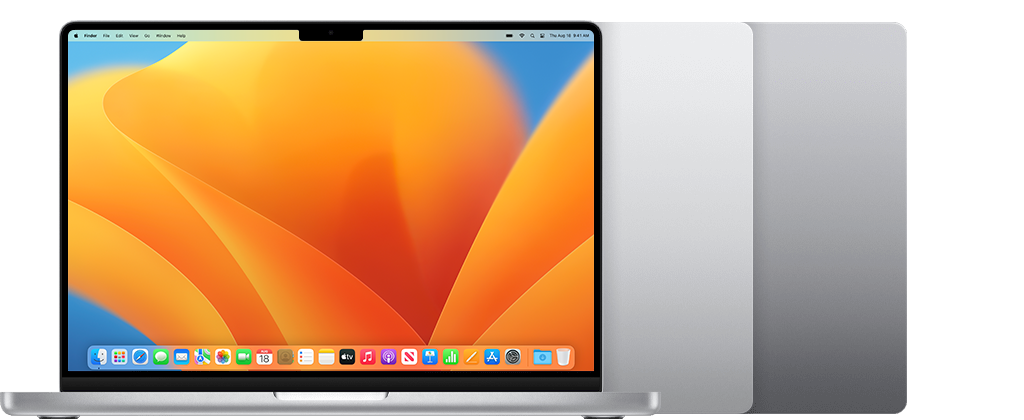
The MacBook Neo and the MacBook Pro occupy opposite ends of Apple’s laptop lineup, designed for very different users and use cases. The Neo, introduced in 2026 at around $599, is Apple’s most affordable MacBook. It is powered by the A18 Pro chip, the same processor used in the iPhone 16 Pro, and comes with 8 GB of unified memory and a base 256 GB SSD. Its 13-inch Liquid Retina display, two USB‑C ports, headphone jack, and up to 16 hours of battery life make it well suited for everyday tasks such as web browsing, email, streaming, video conferencing, light photo editing, and general productivity. The Neo is compact, lightweight, and ideal for students, casual users, and first-time Mac buyers who want the macOS experience at an entry-level price.
By contrast, the MacBook Pro is a professional-grade machine built for demanding workflows. The latest models with M5 Pro or M5 Max chips feature multi-core CPUs and GPUs, support large amounts of unified memory (up to 64 GB or more), and provide expansive SSD storage starting at 1 TB. The Pro also offers advanced connectivity with Thunderbolt 5 ports, HDMI, SDXC, and support for multiple high-resolution external displays. Its studio-quality webcam, superior audio system, and battery life of up to 24 hours make it suitable for professional creative work, software development, data science, and advanced AI or machine learning tasks.
In practical terms, the MacBook Pro is designed for users who need high performance, advanced features, and future-proof capabilities, while the MacBook Neo is aimed at those prioritizing affordability, simplicity, and basic day-to-day computing. The Neo delivers solid performance for everyday use but cannot match the Pro’s sustained power, connectivity options, or ability to handle intensive professional workflows. Choosing between the two depends largely on whether the user values price and accessibility or performance and professional capability.
Users of a MacBook Pro and a MacBook Neo generally have very different priorities, workflows, and expectationsbecause the machines themselves are designed for distinct use cases.
A typical MacBook Pro user is someone who needs serious performance and capability. This person could be a creative professional (video editor, motion graphics artist, audio producer), a software developer compiling large projects or running containers and virtual machines, a researcher handling large datasets, or a power user who regularly multitasks with demanding apps. MacBook Pros — especially models with M‑series Pro/Max chips — offer high‑core CPUs and GPUs, large unified memory configurations, extensive SSD storage, advanced connectivity (multiple high‑speed ports, external display support), and sustained thermal performance. People who choose a Pro expect to use software that pushes hardware limits, require reliability under load, and plan to keep their machine for many years as workloads evolve.
In contrast, a MacBook Neo user is typically focused on everyday computing essentials and prioritizes affordability. This user mainly does tasks like web browsing, email, streaming video, document editing, presentations, light photo editing, and casual productivity — all within the Apple ecosystem. Because the Neo uses an efficient A‑series chip and comes with more modest memory and storage by design, its user does not expect to run heavy professional workloads or workflow‑intensive creative apps. Instead, they value a low‑cost entry point into macOS, a lightweight and portable device, and smooth performance for standard daily tasks.
In essence, the MacBook Pro user is someone who demands power, versatility, and future‑proof performance, often for professional or creative work, while the MacBook Neo user is someone who prioritizes cost‑effective, reliable everyday computing without the need for high‑end performance. These differing expectations shape not only how each person uses their machine but also how long they expect it to remain viable for their needs.
Someone might choose a used older MacBook Pro over a new MacBook Neo because even secondhand, the Pro generally offers better performance, more features, and greater longevity. Older MacBook Pros — whether equipped with Intel chips or Apple’s M1 or M2 silicon — are designed for heavier workflows, so they handle multitasking, creative applications like photo and video editing, coding, and large documents more smoothly than the Neo’s A-series chip. This makes day-to-day use noticeably faster and more responsive, especially when multiple apps are running at once.
Memory and storage are another key advantage. Many used Pros come with 16 GB of RAM or more and larger SSD capacities, compared with the Neo’s base 8 GB of RAM and 256 GB SSD. The additional memory improves multitasking and future-proofing, while more storage reduces reliance on external drives or cloud services. Older Pros also offer premium features such as better displays, larger trackpads, backlit keyboards, Thunderbolt/USB‑C ports, and stronger wireless connectivity, along with support for multiple external high-resolution displays. These features make the device more versatile for a variety of professional or creative workflows.
Longevity is another factor. Because MacBook Pros are more capable machines, they often remain usable and supported with macOS updates for longer than the Neo. This ensures that even a used Pro can keep up with future software and maintain smooth performance over several years. In many cases, used Pros can be found at prices close to or even below that of a new Neo, giving buyers greater capability for a similar or lower cost. For students, freelancers, or anyone needing more than basic computing, the combination of performance, features, and long-term value makes a used MacBook Pro a compelling choice over the MacBook Neo.

The MacBook Neo and an iPad serve different purposes, even though both are Apple devices and can handle everyday tasks. Comparing them helps clarify which device is a better fit depending on how you work or play.
At its core, the MacBook Neo is a laptop running macOS, designed to be a general‑purpose computer. It has a physical keyboard (built‑in), a trackpad, a traditional desktop OS, a file system that behaves like a laptop’s, and support for full desktop apps like Microsoft Office, Photoshop, Xcode, and professional creative tools. The Neo’s A18 Pro chip offers efficient performance for web browsing, document work, streaming, messaging, and light creative tasks. Its laptop form factor, clamshell design, and macOS environment make it well suited for workflows where you need to work in multiple windows at once, use complex applications, or rely on keyboard shortcuts and traditional desktop interfaces.
An iPad, by contrast, is a tablet running iPadOS, optimized for touch interaction and mobility. With an optional keyboard accessory and trackpad support, an iPad can approximate a laptop experience, but iPadOS still emphasizes touch, gestures, and mobile‑oriented interfaces. iPads are excellent for consumption (reading, movies, browsing), drawing and note‑taking (especially with Apple Pencil), and many creative or productivity apps that are specifically designed for touch. iPads are also more tablet‑oriented in terms of app availability — many apps are mobile versions rather than full desktop versions — and screen multitasking operates differently (Split View, Slide Over rather than resizable free‑form windows).
Because of these distinctions, the type of user who gravitates toward each device typically differs:
In practical terms, even though both can handle everyday tasks like email, web browsing, streaming, and light document work, the MacBook Neo is a more capable laptop for sustained productivity with complex apps and workflows, while the iPad is a more portable, touch‑centric device that shines in content consumption, creative sketching, and flexible, mobile use. Which is “better” depends on whether you value a traditional desktop environment and keyboard‑first workflow (MacBook Neo) or touch‑centric, highly portable versatility (iPad).
Users of an iPad and a MacBook Neo tend to have different primary use patterns and expectations because the devices are optimized for different kinds of interaction and workflows.
A typical iPad user is often drawn to the device for its touch‑first, highly portable design. This user usually prioritizes content consumption (like streaming video, reading articles or e‑books, browsing social media), casual gaming, and lightweight productivity tasks such as checking email, messaging, taking notes, or working with simple documents. Many iPad users also enjoy creative activities like drawing and sketching with an Apple Pencil, annotating PDFs, or using mobile‑optimized creative apps. The iPad’s simplicity, immediate responsiveness, and app ecosystem tailored for touch appeal to students, casual users, and people who want a highly mobile device that transitions easily between entertainment and basic productivity.
In contrast, a MacBook Neo user is typically focused on traditional laptop‑style computing. This person values having a built‑in keyboard and trackpad, a desktop operating system (macOS), and the ability to run software that behaves like full desktop applications (e.g., Microsoft Office, web browsers with multiple windows and tabs, more capable file management). The Neo user expects to do tasks that benefit from a laptop form factor — such as writing longer documents, managing spreadsheets, toggling between multiple windows, working with desktop‑class apps, and handling workflows that require precise input and multitasking. While the Neo’s A‑series‑based performance is more modest than higher‑end Macs, it still provides a more traditional computing experience than an iPad.
Because of these differences, the typical iPad user might choose that device for mobility, ease of use, and touch‑centric interaction, especially when their tasks don’t require a full desktop environment or extended typing. They often view the iPad as a complement to a laptop rather than a replacement. On the other hand, the MacBook Neo user usually seeks a budget‑friendly laptop that supports sustained productivity with macOS, a hardware keyboard, and applications designed for a desktop computing paradigm.
In summary, a standard iPad user tends to prioritize portability, simplicity, and touch‑based workflows, while a MacBook Neo user prioritizes traditional productivity, multitasking, and keyboard‑driven work. Both devices can cover everyday tasks like web browsing, email, and media, but the iPad leans more toward casual, touch‑oriented interaction, and the MacBook Neo leans toward structured, keyboard‑centric productivity.
Comparing the MacBook Neo to an iPad Pro highlights how differently Apple designs laptops and high‑end tablets, and how those differences shape the kinds of users each device attracts.
The MacBook Neo is a traditional laptop running macOS, with a built‑in keyboard and trackpad, full desktop app support, and a desktop‑style file system. Priced around $599, it’s powered by an A18 Pro chip and designed for everyday laptop tasks — web browsing, document editing, email, light photo work, and general productivity in a clamshell form factor. Its 13‑inch Liquid Retina display and familiar macOS environment make it suitable for users who prefer a laptop‑first workflow, want to run full desktop applications, and rely on keyboard‑centric interaction.
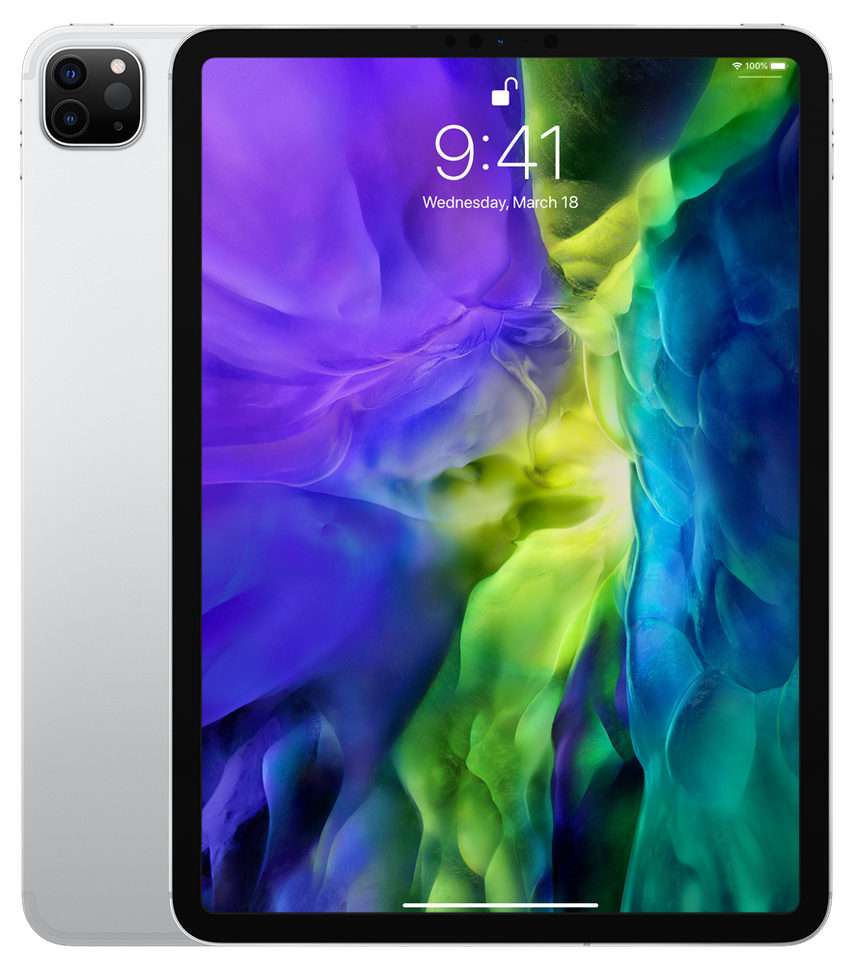
An iPad Pro, by contrast, is a tablet running iPadOS, optimized for touch and pencil interaction and extreme portability. Models typically feature an M‑series chip (e.g., M5) with strong single‑core and GPU performance, excellent displays (often OLED with high refresh rates), and support for Apple Pencil and touch gestures. The iPad Pro excels at creative work like drawing or annotation, immersive content consumption, and mobile workflows where flexibility of form factor matters. Accessories like the Magic Keyboard add typing and trackpad input, but even then the experience remains rooted in iPadOS’s mobile‑oriented design.
In practical use, these fundamental differences mean the devices appeal to different user preferences and workflows. A Neo user is typically someone who values a traditional desktop computing experience with macOS, wants robust support for multiple windows and full desktop apps, and plans to do keyboard‑driven productivity work regularly. In contrast, an iPad Pro user prioritizes mobility, touch interaction, drawing or stylus input, and a more fluid, casual experience that works well for creative tasks, media consumption, and lightweight productivity without the constraints of a laptop hinge.
The choice between the two often comes down to how much a user values macOS’s desktop app ecosystem and structured workflows versus iPadOS’s touch‑centric flexibility and mobility. Both devices are capable and powerful, but they are optimized around distinct interaction paradigms and use cases.
The typical iPad Pro user and MacBook Neo user differ primarily in workflow preferences, device interaction, and the type of tasks they prioritize.
An iPad Pro user usually values mobility, touch interaction, and creative flexibility. They may be a student, professional, or creative who relies on the iPad’s Apple Pencil support for drawing, annotating, or designing, or who appreciates the fluidity of touch gestures for navigation. They often use the device for media consumption, digital art, note-taking, and light productivity, switching between apps in iPadOS’s split-screen or Slide Over modes. Even when paired with a keyboard accessory like the Magic Keyboard, the experience remains tablet-first, emphasizing portability and immediacy over traditional desktop-style workflows. iPad Pro users often prioritize instant-on convenience, stylus-driven interaction, and high-quality display and audio for immersive experiences.
In contrast, a MacBook Neo user is focused on a traditional laptop experience with macOS. They rely on a physical keyboard and trackpad, full desktop applications, and a file system that supports multi-window multitasking and desktop-class workflows. Neo users prioritize structured productivity, such as writing long documents, managing spreadsheets, browsing with multiple tabs, or performing light creative tasks with macOS apps. While the Neo is designed as an entry-level device with modest performance, it appeals to users who want a laptop-oriented workflow, keyboard-driven input, and a familiar desktop computing environment.
In summary, the iPad Pro user emphasizes touch, mobility, and creative flexibility, often blending casual and productivity use in a tablet format, while the MacBook Neo user emphasizes desktop-style productivity, keyboard input, and structured multitasking. Both can perform everyday computing tasks like web browsing, streaming, and email, but their respective users choose their device based on whether they prioritize tablet-centric mobility and stylus interaction (iPad Pro) or keyboard-centric, traditional laptop productivity (MacBook Neo).
Compared with other recent Apple laptops, the Apple MacBook Neo differs most notably in purpose, hardware design, performance, and feature set.
The MacBook Neo is Apple’s new entry‑level notebook, starting around $599 — the lowest price ever for a MacBook. Unlike recent MacBook Air and MacBook Pro models that use Apple’s M‑series silicon, the Neo is the first MacBook powered by an A‑series chip (the A18 Pro, originally designed for iPhones). This makes it relatively efficient and capable for everyday tasks like web browsing, email, streaming, document editing, and light photo editing, but fundamentally oriented toward basic productivity rather than demanding workflows.
In contrast, recent Air and Pro laptops use M‑series chips (such as M4, M5, or their Pro/Max variants) that are architecturally more powerful, with more CPU and GPU cores, higher memory bandwidth, and broader support for pro‑level workloads. That gives Air and Pro laptops a significant performance advantage in multitasking, content creation, software development, and heavy applications. They also support greater memory and storage configurations, allowing them to handle more data and more complex tasks over a longer lifespan.
Feature‑wise, the Neo makes some cost‑saving trade‑offs compared with its higher‑end siblings. For example, the base Neo includes only two USB‑C ports (one USB‑3 and one USB‑2) rather than Thunderbolt/USB‑4, lacks MagSafe charging, and does not include a backlit keyboard or True Tone display. Storage and memory are fixed (8 GB and 256 GB on base models), while newer MacBook Air/Pro options start with higher base RAM and larger SSDs and offer upgrade paths up to 32 GB+ memory or multi‑terabyte storage. Some Pro models also include advanced connectivity, headphone jacks, HDMI, SDXC card readers, and higher‑fidelity speakers and webcams.
Finally, while all these laptops run macOS, the MacBook Neo is squarely positioned as a budget, everyday laptop — ideal for students, casual users, and anyone who wants the core Mac experience without paying premium prices. In comparison, recent MacBook Air models balance portability and strong performance for deeper productivity, and MacBook Pro models target professional use cases with even greater power and expandability.
In short, the MacBook Neo differs from other recent Apple laptops by offering a lower‑cost, simpler hardware configuration built around an A‑series chip, at the expense of some performance headroom, advanced features, and expandability that you’ll find in contemporary Air and Pro models.


