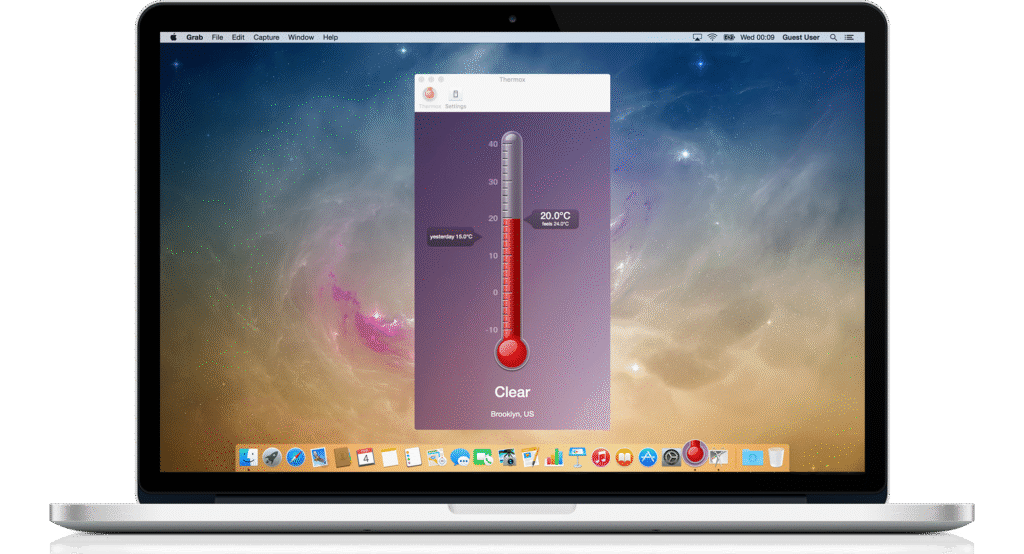
Apple specifies that Macs are designed to operate in ambient temperatures between 50° and 95° F (10° to 35° C), with an ideal range of roughly 68° to 77° F (20° to 25° C) for optimal performance, longevity, and quiet operation. In this range, fans typically run minimally and thermal throttling is unlikely. Internally, Macs normally idle around 30–50° C, operate under typical workloads at 50–80° C, and may briefly spike to 90–100° C under heavy load, all of which are within designed tolerances. For storage, Macs should be kept between –13° and 113° F (–25° to 45° C) when not in use to avoid long-term component stress.
Extreme heat has both immediate and long-term effects on a Mac, even though macOS and the underlying hardware include safeguards designed to prevent catastrophic failure. When temperatures rise beyond normal operating ranges, the system responds defensively by reducing CPU and GPU clock speeds through thermal throttling, which can cause noticeable slowdowns. Fan speeds increase to dissipate excess heat, often resulting in louder operation. Battery performance may also be affected, with charging slowed or temporarily paused and battery levels dropping more quickly. Under sustained heat, apps can become unstable, lag, freeze, or crash, and if temperatures exceed safe limits, macOS may automatically shut the Mac down to protect internal components.
Over time, prolonged or repeated exposure to high temperatures accelerates overall wear and degradation. Heat is the primary contributor to lithium-ion battery aging, leading to reduced capacity and a shorter usable lifespan. Internal components such as CPUs, GPUs, voltage regulators, and SSD controllers age faster when consistently exposed to elevated temperatures, while excess heat can also shorten NAND flash lifespan and increase the likelihood of data errors. Additionally, thermal interface materials like paste and pads can dry out or harden, reducing cooling efficiency, and extreme heat can place stress on the display and enclosure, potentially contributing to discoloration, adhesive failure, or case warping.
When a Mac is exposed to cold conditions, especially below its intended operating range, several immediate issues can occur. Battery performance drops sharply because lithium-ion batteries are less efficient in cold temperatures, which can lead to rapid percentage declines or sudden shutdowns. macOS may temporarily disable charging until the battery warms to a safe temperature, and overall system performance can feel sluggish as reduced battery output and cold components limit peak operation. Displays may also behave abnormally, with slower response times, dimming, ghosting, or temporary discoloration. Additionally, moving a cold Mac into a warmer environment introduces the risk of condensation forming inside the device, which can cause short circuits if the Mac is powered on too quickly.
Over the long term, repeated exposure to extreme cold, particularly when condensation is involved, can lead to permanent damage. Charging or heavily discharging a lithium-ion battery while it is very cold can irreversibly reduce its capacity and lifespan. Cold temperatures can also make internal seals and adhesives brittle, potentially affecting displays, batteries, and internal mounting points. Repeated thermal contraction and expansion place stress on connectors and solder joints, increasing the risk of intermittent failures over time. While SSDs are more resilient than traditional hard drives, extreme cold can still impact their controllers and raise the likelihood of errors during operation.
A Mac is most susceptible to temperature-related issues in environments where heat buildup, poor airflow, extreme cold, or rapid temperature changes are common. Hot, enclosed spaces pose the greatest risk, with cars being the most extreme example. Interior vehicle temperatures can exceed safe operating and storage limits within minutes, even on mild days. Direct sunlight, outdoor use in summer, or rooms without adequate air conditioning can also push a Mac beyond its ideal thermal range, resulting in performance throttling, unexpected shutdowns, and accelerated battery wear.
Poorly ventilated environments further increase vulnerability to heat-related problems. Using a MacBook on soft surfaces such as beds, couches, or laps can block ventilation and trap heat, while tight desk setups, cabinets, or clamshell dock configurations without sufficient airflow can cause sustained internal temperature buildup. These conditions are especially problematic during demanding tasks like video editing, virtualization, or extended multitasking.
Cold environments present a different set of risks. Unheated cars, garages, or outdoor winter conditions can significantly reduce battery performance and cause display irregularities. While cold is generally less immediately damaging than heat, operating or charging a Mac below its recommended temperature range increases the likelihood of sudden shutdowns, long-term battery degradation, and condensation-related damage once the device is returned to a warmer space.
Rapid temperature transitions are particularly hazardous because they encourage condensation. Moving a Mac quickly from a cold environment into a warm, humid one can cause moisture to form inside the enclosure, potentially leading to corrosion or electrical shorts if the system is powered on too soon. Industrial, workshop, or kitchen environments also heighten risk, as heat combined with dust, grease, or airborne debris can restrict airflow and insulate internal components, compounding thermal stress over time.
Overall, Macs are most vulnerable in hot cars, direct sunlight, poorly ventilated setups, extreme cold, and environments with frequent or abrupt temperature changes. Consistent use in a room-temperature environment with unobstructed airflow offers the best protection against temperature-related issues and supports long-term reliability.
If a Mac has been exposed to extreme heat or cold, there are several steps that can help reduce immediate risk and limit long-term damage, even though some wear may already have occurred. The first priority is to allow the Mac to return gradually to room temperature, ideally around 68–75° F (20–24° C), before powering it on or charging it. After heat exposure, this allows internal components to cool evenly, and after cold exposure, it is critical for preventing condensation from forming inside the enclosure.
Charging should be avoided immediately after cold exposure, as lithium-ion batteries are particularly vulnerable when charged at low temperatures. Waiting until the Mac feels fully acclimated to room temperature before plugging it in can help prevent permanent battery damage. Once powered on, it is important to observe the system for warning signs such as unexpected shutdowns, rapid battery drain, excessive fan noise at idle, display anomalies, or temperature-related error messages, as these may indicate underlying issues.
Improving airflow and cooling can further mitigate thermal stress. The Mac should be used on a hard, flat surface with unobstructed ventilation, and external vents should be kept clear. On older systems, internal dust buildup may reduce cooling efficiency and warrant professional cleaning. For desktop or docked setups, improving ambient airflow or lowering room temperature can make a noticeable difference.
Because temperature extremes accelerate battery wear, checking battery health in System Settings is strongly recommended. A significant drop in maximum capacity or a service warning suggests that battery replacement may be the most effective corrective action. For a period after exposure, it is also wise to avoid sustained heavy workloads such as video rendering, gaming, or virtualization, allowing the system to operate under reduced thermal load while stability is assessed.
Finally, ensuring that all important data is backed up is essential, as temperature-related stress can lead to delayed hardware failures. If the Mac was exposed to particularly severe conditions, such as being left in a hot or freezing car, or if abnormal behavior persists, a professional inspection can help identify battery swelling, degraded thermal materials, or early component failure before more serious damage occurs.
If you need to use or store a Mac in extreme temperatures, take steps to protect it. In hot conditions, keep it shaded, on a hard, ventilated surface, and avoid heavy workloads or charging when it’s hot. In cold conditions, keep it insulated, avoid charging until it warms to room temperature, and bring it indoors gradually to prevent condensation. Always monitor temperature warnings, maintain up-to-date backups, and transport the Mac in insulated bags if moving between hot or cold environments. These precautions won’t make the Mac immune to extremes, but they can significantly reduce the risk of damage and help preserve performance and battery health.
If you need to store a Mac in an area prone to extreme temperatures, proper precautions are essential to prevent damage to the battery, internal components, and display.
Store the Mac in a temperature-controlled environment whenever possible, ideally within Apple’s non-operating range of –13° to 113° F (–25° to 45° C). If the area occasionally exceeds these limits, use insulated or padded cases to buffer against rapid temperature changes. Avoid placing the Mac in direct sunlight, near heat sources, or on cold metal surfaces that can accelerate heat transfer.
Keep the Mac powered off and, if storing long-term, consider leaving the battery around 50% charged, which is optimal for lithium-ion health. Avoid charging it in extreme conditions. When bringing the Mac back to a normal environment, allow it to acclimate gradually to prevent condensation before powering it on.
Finally, store it in a dry location to minimize humidity exposure, as moisture combined with temperature extremes increases the risk of corrosion and component damage. Following these steps helps maintain battery health, display integrity, and overall system longevity even in challenging environments.