iOS, Apple’s mobile operating system, was first introduced in 2007 alongside the original iPhone. Originally called “iPhone OS,” it brought a revolutionary touch interface, replacing the stylus- and keyboard-heavy designs of the time with finger-based gestures and a sleek, minimalist home screen. Built on the foundation of macOS, it emphasized simplicity, performance, and security. Early versions of iOS focused on core functionality like calling, messaging, web browsing, and the introduction of the App Store in 2008, which transformed iPhones into versatile devices powered by third-party applications.
Over the years, iOS evolved rapidly, with each version introducing significant new features and improvements. iOS 4 added multitasking, folders, and FaceTime; iOS 5 brought iCloud and iMessage; iOS 7 introduced a dramatic redesign with flat icons and translucent layers. Apple continued refining the user experience with tools like Control Center, Siri, and improved privacy controls. Hardware and software advances worked hand-in-hand, with new iPhones unlocking capabilities like Touch ID, Face ID, and increasingly powerful machine learning features built directly into iOS.
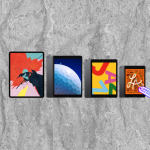
By the late 2010s and into the 2020s, iOS had matured into a robust, secure, and highly customizable platform. Apple began splitting iOS from iPadOS in 2019 to give the iPad its own interface and features. With newer versions such as iOS 14 through iOS 18, Apple introduced App Library, widgets on the Home Screen, enhanced Focus Modes, and deep integration with Apple’s ecosystem of devices and services. iOS has become not just a phone operating system, but the backbone of Apple’s vision for a connected digital lifestyle, blending intelligence, personalization, and seamless cross-device experiences.
iOS 26 brings a bold new visual direction to the iPhone with its Liquid Glass design language, the most significant UI overhaul since iOS 7. The new interface features semi-transparent, glass-like elements that adapt dynamically across the system, offering a fluid, immersive experience. This redesign appears in everything from the Control Center and app switcher to icons and menus, creating a cohesive aesthetic that mirrors the look and feel of macOS 26 and iPadOS 26. The Lock Screen has also been redesigned with a floating dynamic clock that intelligently shifts around content, deeper widget customization, and more refined animations. Overall, the update brings a polished, modern visual identity to the entire iPhone interface.
Beyond aesthetics, iOS 26 introduces deep integration with Apple Intelligence, Apple’s system-wide AI platform. Features like Live Translation allow real-time text and voice translation in Messages, FaceTime, and Phone calls, all processed on-device for privacy. Visual Intelligence can analyze what’s on your screen—be it a screenshot, email, or image—and provide contextual actions like identifying objects, suggesting calendar events, or answering questions using Apple’s integration with ChatGPT. Creative tools such as Image Playground and Genmoji let users generate original images and emojis using simple prompts. Developers can also tap into on-device foundation models through new frameworks, enabling AI features in third-party apps without compromising user privacy.
Core apps and system tools are also seeing thoughtful upgrades. The Phone app introduces Call Screening, unified tabs for Favorites and Voicemail, and smart tools like Hold Assist. Messages gets support for group typing indicators, polls, and dynamic chat backgrounds—including AI-generated ones. The Photos app regains a bottom navigation bar and introduces new 3D effects, while the Camera gets a streamlined interface with easier access to resolution and frame rate controls. Other updates include a new Apple Games hub, improvements to Apple Music, Maps, and Wallet (including support for U.S. passports), custom ringtones from the Files app, and HDR screen recording. Altogether, iOS 26 blends next-gen intelligence, expressive customization, and a visual refresh to deliver Apple’s most ambitious iPhone update in years.
iOS 26 is compatible with a wide range of iPhones, starting with the iPhone 11 and newer. This includes the entire iPhone 12, 13, 14, 15, and the latest iPhone 16 series, as well as the second and third-generation iPhone SE models. All of these devices are built with at least the A13 Bionic chip, which meets the minimum performance and efficiency requirements for iOS 26. The upcoming iPhone 17 series, expected in fall 2025, will ship with iOS 26 pre-installed.
However, Apple has dropped support for a few older models in this release. Specifically, the iPhone XR, iPhone XS, and XS Max, which all use the A12 Bionic chip, will not receive the iOS 26 update. This move follows Apple’s typical pattern of phasing out older hardware that can no longer keep up with newer system features, especially those related to real-time processing, graphics, and advanced machine learning capabilities.
While iOS 26 will install and run on any supported device, not all features will be available on every model. The more advanced Apple Intelligence features—such as system-wide Live Translation, Genmoji creation, and Visual Intelligence with ChatGPT integration—require the A17 Pro chip or newer. As a result, only the iPhone 15 Pro, iPhone 15 Pro Max, and all models in the iPhone 16 lineup will support the full suite of Apple Intelligence capabilities. Regular iPhone 15 and earlier models will still receive the core improvements of iOS 26, including the new Liquid Glass design and app updates, but without the newest AI-powered enhancements.
✅ Supported Devices (A13 Bionic or newer):
🛑 Dropped Support (A12 Bionic models):
While all supported devices will receive the iOS 26 update, the advanced Apple Intelligence capabilities—such as Live Translation, Visual Intelligence with ChatGPT integration, Genmoji, and Adaptive Power Mode—are limited to devices with the A17 Pro chip or newer:
Preparing to upgrade to iOS 26 is a straightforward process, but taking a few careful steps beforehand ensures the transition is smooth and trouble-free. The first step is to check if your iPhone is compatible. iOS 26 supports the iPhone 11 series and newer, including the SE (2nd and 3rd generation), as well as the iPhone 12, 13, 14, 15, and 16 models. If you’re unsure of your model, you can go to Settings > General > About to view your device name. Also, ensure your device has sufficient free storage space—at least 10–15 GB is recommended to allow room for the download and installation process.
Next, make a full backup of your iPhone. While most upgrades proceed without issue, a backup provides peace of mind and safeguards your data in case anything goes wrong. You can back up your iPhone using iCloud by going to Settings > [your name] > iCloud > iCloud Backup > Back Up Now, or use a Mac or PC through Finder or iTunes. If you’re using iCloud Photos or Messages in iCloud, those items are already synced, but a full device backup captures app data, settings, and Home Screen layouts.
Finally, update your apps and install any pending system updates for iOS 25 before proceeding. Developers often release app updates in advance of new iOS versions to ensure compatibility. Also, consider waiting a few days after the public release of iOS 26, unless you’re comfortable installing it on launch day, in case there are early bugs that Apple addresses quickly. Once you’re ready, plug your device into power and connect to Wi‑Fi, then go to Settings > General > Software Update and follow the on-screen instructions to download and install iOS 26.
While iOS 26 offers exciting new features like the Liquid Glass interface and Apple Intelligence, there are a few reasons why some users might choose to delay or avoid the upgrade—at least temporarily. One common concern is performance on older supported devices. Although iPhones as old as the iPhone 11 can install iOS 26, newer features may place a greater demand on system resources. Users with limited storage or aging batteries might notice slower performance, reduced responsiveness, or shorter battery life, especially during the first few days post-upgrade as the system reindexes data in the background.
Another reason to hesitate is compatibility with critical apps or accessories. Major OS updates can sometimes introduce issues with third-party apps that haven’t yet been optimized for the new version. This can affect everything from productivity tools to banking apps or even HomeKit integrations. If you rely on specific apps for work or daily life, it’s a good idea to check with developers or user forums to confirm they function well on iOS 26. Similarly, some accessories (like audio equipment, barcode scanners, or custom enterprise tools) may not immediately work as expected.
Lastly, some users may feel that the new AI-driven features don’t justify the upgrade—especially if they own an iPhone model that doesn’t support Apple Intelligence. Many of iOS 26’s most advertised features, like Genmoji, Visual Intelligence, and system-wide AI enhancements, are only available on the iPhone 15 Pro and the iPhone 16 series. If your iPhone doesn’t support those tools, and you’re happy with iOS 25’s stability and performance, you might opt to wait and see how iOS 26 performs in the real world before committing.
Apple’s decision to name its newest mobile operating system iOS 26—rather than something like iOS 19—reflects the natural progression of its yearly release cycle, not a skipped version or marketing gimmick. Since 2007, Apple has released a new version of iOS nearly every year. iOS 1 debuted with the original iPhone, and Apple has steadily increased the version number with each major annual update. By 2024, the current version was iOS 17, and iOS 18 was released later that year. In 2025, the next logical step in that sequence is iOS 26, based on Apple’s actual internal version numbering and platform alignment.
What may cause confusion is the fact that Apple doesn’t always publicly market every version increment. Some internal or developer-only builds may account for skipped numbers in the public eye. Additionally, Apple’s other platforms—like macOS, iPadOS, and watchOS—now share closely aligned version numbers for consistency. For example, macOS 26 Tahoe and iPadOS 26 were introduced alongside iOS 26, reinforcing the idea that all platforms are part of a unified ecosystem. This version syncing helps developers and users understand compatibility and feature parity across devices.
So, Apple didn’t skip from iOS 18 to iOS 26 arbitrarily—it’s simply the next number in a long line of annual releases, now aligned with the rest of Apple’s platforms. The numbering reflects maturity and consistency rather than a jump or rebranding, and it emphasizes Apple’s push to deliver a more integrated, seamless experience across all of its devices.
iOS 26 significantly closes the gap between the iPhone experience and its larger-screen siblings—macOS 26 Tahoe and iPadOS 26—by aligning design language, system intelligence, and cross-device functionality in a more unified ecosystem. The most visible change is the introduction of the Liquid Glass interface, a translucent, motion-aware design system now consistent across all platforms. This UI overhaul brings dynamic layering, glass-like panels, and depth-aware animations to iOS, matching the modernized look of macOS and iPadOS. From Control Center and widgets to notification banners and app overlays, the visual language now feels truly shared across devices, reinforcing Apple’s goal of a seamless cross-platform environment.
Functionally, iOS 26 integrates many of the advanced capabilities that previously felt exclusive to Macs and iPads. The biggest leap is the system-wide implementation of Apple Intelligence, which is now a core part of all three platforms. Like on macOS and iPadOS, iOS users get access to tools such as Genmoji, Image Playground, Live Translation, and Visual Intelligence—all built on-device for privacy and performance. These tools bring context-aware smarts to apps like Messages, Mail, Safari, and even Photos, blurring the line between mobile and desktop productivity. Shared AI capabilities also mean that suggestions, writing tools, and voice interactions feel consistent whether you’re using an iPhone, iPad, or Mac.
Perhaps most importantly, Apple has further streamlined cross-device continuity in iOS 26. Features like Universal Clipboard, AirDrop, Handoff, and FaceTime Continuity have been refined, while new additions like Shared Screen enhancements, Live Collaboration in Messages, and Captive Assist for auto-connecting to Wi‑Fi networks mirror macOS and iPadOS behavior. Even multitasking, while still more limited on iPhones than iPads, benefits from a more fluid app-switching experience and smarter background resource handling. In all, iOS 26 doesn’t just borrow from its siblings—it synchronizes with them, creating a more holistic and interconnected Apple experience than ever before.