
MacBook Air 13-inch $799
Mac14,2
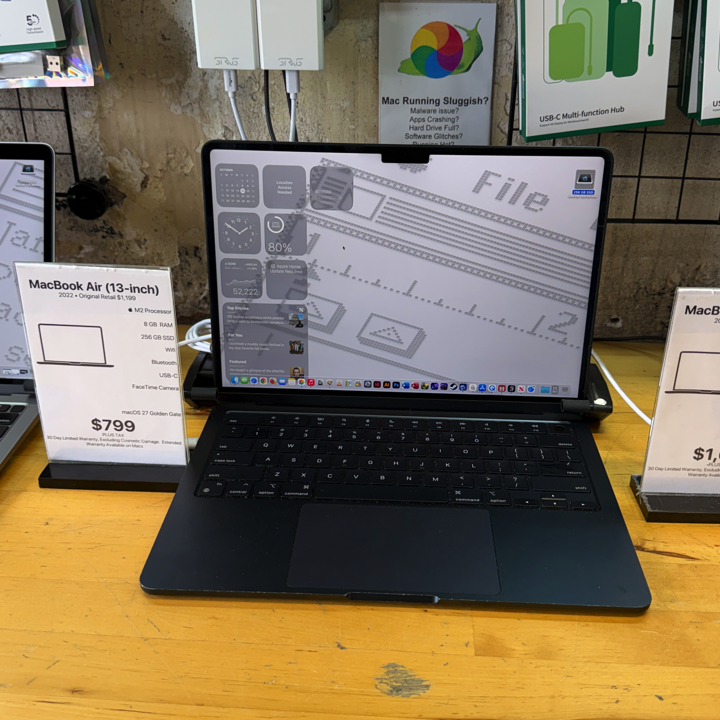
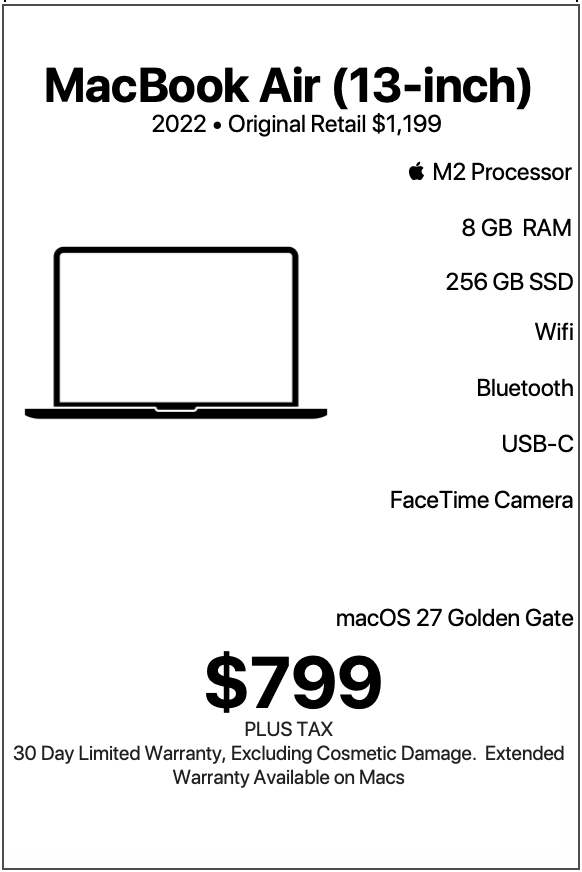
| MacBook Air 13-inch |
|---|
| “Big M2 energy in a sleek little MacBook Air—fast, featherlight, and ready to make your workload jealous.” |
| The 2022 13-inch MacBook Air with Apple’s M2 processor represents a fantastic combination of everyday performance, portability, energy efficiency, and modern Apple design. Featuring 8 GB of unified memory, 256 GB of solid-state storage, Apple integrated graphics, a Force Touch trackpad, Touch ID, and macOS 27 Golden Gate, this MacBook Air delivers an appealing computing experience for students, professionals, families, travelers, and anyone who appreciates a computer that makes daily tasks feel effortless. |
LEARN MORE
| Available from Denver Mac Repair for $799 with warranty, compared with its original retail price of $1,199, this MacBook Air offers an attractive opportunity to enjoy Apple’s M2 technology in a beautifully designed, lightweight laptop. The MacBook Air occupies a special place in Apple’s computer lineup. It combines the convenience of a portable computer with the capabilities of a full-featured Mac, making it an excellent choice for people who want a dependable machine that moves easily between home, school, work, and everywhere in between. Whether someone spends their days answering emails, researching assignments, managing business documents, enjoying streaming entertainment, organizing photographs, or staying connected with friends and family, this MacBook Air provides the tools to accomplish those activities with confidence. At Denver Mac Repair, we appreciate computers that offer genuine everyday value, and this particular configuration presents an especially appealing option for people who want the modern Apple Silicon experience at a welcoming price. A Modern MacBook Air with Apple’s M2 Processor At the heart of this MacBook Air sits Apple’s M2 processor, a powerful and efficient chip designed specifically for the Mac. Apple Silicon combines processing, graphics, memory architecture, and other essential technologies into a highly integrated system that delivers responsive performance while maintaining excellent energy efficiency. For everyday users, that translates into a computer that feels quick and capable when opening applications, browsing the internet, switching between tasks, and managing personal or professional projects. The M2 processor handles familiar activities such as writing documents, participating in video calls, organizing spreadsheets, managing photographs, and streaming high-definition entertainment with ease. Apple’s integrated graphics also contribute to a polished experience. The graphics architecture supports smooth interface animations, detailed visual presentations, photo editing, and multimedia playback. The M2 processor is especially well suited for people who appreciate responsive performance during a variety of daily activities. A student moves between research websites, lecture notes, and presentation software. A professional manages email, calendars, and business documents. A family enjoys photographs, entertainment, and communication applications. Each of these users benefits from the efficient architecture of Apple Silicon. The processor also contributes to the MacBook Air’s excellent portability. Its energy-efficient design allows Apple to create a remarkably thin laptop with a silent, fanless cooling system. The result is a comfortable computing experience in classrooms, libraries, offices, living rooms, and other environments where a peaceful workspace makes a difference. For someone transitioning from an Intel-based Mac, the M2 introduces Apple’s integrated approach to modern computing. Applications optimized for Apple Silicon take advantage of the processor’s architecture, while macOS provides a familiar environment for everyday tasks. This combination makes the MacBook Air a compelling option for people who want a computer that feels contemporary, efficient, and ready for daily productivity. Perfect for College Students and University Life College students represent one of the strongest audiences for this 13-inch MacBook Air. The combination of portable dimensions, responsive performance, comfortable input devices, and modern wireless connectivity makes it an excellent companion throughout the academic day. A student begins the morning reviewing assignments, checking university announcements, and organizing class schedules. During lectures, the MacBook Air becomes a digital notebook for recording important information, creating outlines, and following course materials. Between classes, its lightweight design makes it convenient to carry across campus, into libraries, and through study spaces. Students who work with Microsoft Word, Excel, PowerPoint, Apple Pages, Numbers, and Keynote enjoy a responsive environment for creating academic documents and presentations. The M2 processor handles the everyday productivity tasks associated with these applications efficiently. Research projects also benefit from the MacBook Air’s capabilities. Students browse academic databases, review digital textbooks, organize references, and prepare written assignments using familiar macOS applications. The 8 GB of unified memory supports typical academic workflows, including web browsing, note-taking, document editing, email, and communication applications. Apple’s unified memory architecture allows the processor and integrated graphics to work with a shared pool of memory, contributing to efficient operation. The 256 GB solid-state drive provides fast access to applications, documents, assignments, and frequently used files. Students who organize larger collections of materials through iCloud Drive or external storage can create a flexible arrangement for academic projects. The 1080p FaceTime HD camera adds another valuable feature for university life. Students participate in remote lectures, virtual office hours, collaborative study sessions, and online presentations with clear video. Wi-Fi 6 supports connectivity with compatible campus wireless networks, while Bluetooth 5.3 allows convenient pairing with headphones, keyboards, mice, and other accessories. For students attending the University of Colorado Boulder, Metropolitan State University of Denver, the University of Denver, Colorado State University, or another institution, this MacBook Air offers an appealing combination of performance and convenience. At $799 with warranty from Denver Mac Repair, it also represents a practical investment in a computer that supports coursework, communication, creativity, and entertainment. An Excellent Laptop for High School Students High school students also benefit from the MacBook Air’s balance of simplicity and capability. Modern coursework increasingly incorporates online learning platforms, digital assignments, collaborative documents, research websites, and multimedia presentations. This MacBook Air provides a comfortable environment for these activities while introducing students to Apple’s desktop operating system. The full-size keyboard features 78 U.S. keys, including 12 function keys and four arrow keys. This familiar arrangement supports comfortable typing during essays, reports, study guides, and classroom projects. The Force Touch trackpad provides precise cursor control and convenient Multi-Touch gestures. Students navigate between applications, scroll through lengthy documents, and manage multiple windows using intuitive movements. Touch ID adds a convenient way to unlock the computer and authorize supported actions with a fingerprint. For students who frequently move between classes, study sessions, and personal activities, this feature contributes to an efficient daily routine. The M2 processor supports educational applications, web-based learning environments, and creative projects. Students create slideshows, edit photographs, organize research, and explore introductory programming using compatible software. The MacBook Air also offers an excellent introduction to Apple’s broader ecosystem. Students who use an iPhone or iPad can take advantage of compatible continuity features, iCloud synchronization, and shared Apple services. Messages, photographs, calendars, notes, and documents become accessible across supported Apple devices, creating a cohesive experience. For families shopping for a dependable computer for a high school student, this configuration offers an appealing balance between practical everyday functionality and modern Mac technology. Ideal for Everyday Home Computing Some of the best computers are the ones that make ordinary tasks enjoyable, and this MacBook Air excels in that role. Home users often want a computer that handles familiar activities quickly and comfortably. Checking email, paying bills, shopping online, reading news, researching hobbies, managing household documents, and staying connected with family members all fit naturally into the MacBook Air’s capabilities. The M2 processor provides responsive performance for these tasks, while the solid-state drive helps applications launch quickly and documents open smoothly. Safari, Apple’s built-in web browser, takes advantage of macOS and Apple Silicon to provide an efficient browsing experience. Users can also choose compatible versions of other popular browsers according to their preferences. The MacBook Air works beautifully as a central household computer. One person uses it to manage family finances, another creates a presentation, and someone else enjoys streaming entertainment or organizing digital photographs. macOS supports separate user accounts, allowing household members to maintain their own files, preferences, and personalized desktop environments. The 256 GB SSD accommodates a useful collection of applications and everyday documents. iCloud Drive provides additional flexibility for people who maintain documents and photographs across multiple Apple devices. The 13-inch form factor also makes the computer easy to use throughout the home. It moves comfortably from a desk to a kitchen table, from a living room to a bedroom, and from one workspace to another. The MacBook Air’s fanless design contributes to a particularly pleasant experience during quiet activities such as reading, writing, and watching videos. For anyone who wants a modern household Mac with a straightforward, polished user experience, this M2 MacBook Air makes an excellent choice. A Smart Choice for Small Business Owners Small business owners appreciate computers that help them stay organized, communicate with customers, and manage daily operations efficiently. This MacBook Air provides an excellent foundation for a wide variety of business activities. A business owner begins the day reviewing appointments, responding to customer inquiries, and preparing invoices. Throughout the afternoon, the same computer supports bookkeeping, inventory management, marketing, and administrative responsibilities. The M2 processor delivers responsive performance for productivity applications and browser-based business platforms. Popular tools for accounting, customer relationship management, scheduling, and online storefront administration fit naturally into this workflow when compatible with macOS. The MacBook Air’s portability is particularly valuable for entrepreneurs who work from multiple locations. A business owner can manage operations from a home office, meet clients at a coffee shop, and review documents during a business trip. The 13.6-inch Liquid Retina display provides a sharp, comfortable workspace for reviewing spreadsheets, contracts, reports, and presentations. Its 2560-by-1664 resolution helps text appear crisp and detailed, while True Tone technology adjusts the display’s appearance to surrounding lighting conditions. The full-size keyboard supports extended typing sessions, and the Force Touch trackpad provides precise navigation through business applications. Touch ID offers convenient authentication for supported activities, including unlocking the Mac and authorizing certain purchases or password-related actions. For small businesses that already use iPhones and other Apple devices, macOS integrates naturally into an established Apple workflow. Documents, calendars, contacts, and compatible applications can synchronize through iCloud and other cloud services. Business owners who maintain documents through Microsoft 365, Google Workspace, or Apple productivity applications can use this MacBook Air as a practical everyday workstation. The $799 price makes this configuration attractive for entrepreneurs who value a capable Mac while carefully managing equipment expenses. An Excellent Companion for Remote Workers Remote work places a unique set of demands on a computer. A dependable remote workstation needs to handle communication, productivity applications, file management, and frequent transitions between different tasks. This M2 MacBook Air provides an appealing combination of these capabilities. The 1080p FaceTime HD camera supports clear video communication through compatible conferencing applications such as Zoom, Microsoft Teams, Google Meet, and FaceTime. Apple’s image signal processor contributes to the camera’s image quality, making video meetings a comfortable part of the workday. The built-in microphone system also supports voice communication, allowing users to participate in meetings, interviews, and collaborative discussions. Wi-Fi 6 connectivity provides efficient wireless networking with compatible routers. Remote workers can connect to their home networks, access cloud documents, and participate in video conferences using a modern wireless standard. The M2 processor handles typical remote-work applications with responsive performance. Email, calendars, word processing, presentations, browser-based platforms, and messaging tools all benefit from Apple Silicon’s efficient architecture. A remote employee might spend the morning preparing a presentation, the afternoon attending virtual meetings, and the evening reviewing project updates. The MacBook Air accommodates these activities in a compact, comfortable package. Its fanless design is especially appealing in quiet home offices. The computer operates silently, contributing to a peaceful workspace during meetings and focused work sessions. The built-in display provides an excellent everyday workspace, while the Thunderbolt/USB 4 ports offer connectivity for compatible accessories and external displays. Apple specifies support for one external display with resolution up to 6K at 60 Hz, allowing users to create a larger desktop workspace when their responsibilities benefit from additional screen space.  Apple Support (IE) For professionals who divide their time between home offices, shared workspaces, and occasional travel, this MacBook Air offers an excellent combination of mobility and productivity. Great for Writers, Authors, and Journalists Writing is one of the activities that makes the MacBook Air feel especially at home. Authors, journalists, bloggers, students, and professional writers spend substantial amounts of time working with text. A comfortable keyboard, responsive operating system, clear display, and portable design all contribute to a productive writing environment. This MacBook Air features Apple’s full-size Magic Keyboard with 78 U.S. keys, including 12 function keys and four arrow keys. The keyboard provides a familiar layout for drafting articles, preparing manuscripts, writing reports, and composing correspondence. The Force Touch trackpad makes navigating long documents and organizing research materials straightforward. Multi-Touch gestures allow writers to switch between applications, view open windows, and move around the desktop efficiently. The Liquid Retina display provides crisp text that makes reading and editing enjoyable. Writers who spend hours reviewing paragraphs, adjusting formatting, and proofreading documents appreciate the clarity of a high-resolution screen. The M2 processor keeps writing applications responsive while users move between documents, reference materials, and research websites. Applications such as Pages, Microsoft Word, Scrivener, and compatible text editors offer a variety of approaches to the writing process. A novelist can organize chapters and character notes. A journalist can research stories and prepare articles. A student can develop a thesis or research paper. A blogger can draft posts, prepare photographs, and manage website content. The 256 GB SSD provides fast local storage for manuscripts, documents, and supporting files. Cloud synchronization also offers convenient access to writing projects across compatible devices. Perhaps the MacBook Air’s greatest advantage for writers is its portability. Inspiration arrives in libraries, coffee shops, classrooms, airports, and comfortable corners of the house. This lightweight computer makes it easy to take a writing project along for the ride. For people who spend their days turning ideas into words, the M2 MacBook Air provides an inviting digital workspace. Perfect for Teachers and Educators Teachers and educators rely on computers for lesson planning, communication, classroom presentations, and administrative responsibilities. This MacBook Air provides a practical platform for these activities. Educators can prepare lesson plans in word-processing applications, develop classroom presentations, organize spreadsheets, and manage digital teaching materials. The M2 processor supports the everyday applications associated with modern teaching environments, while the 8 GB of unified memory accommodates common productivity workflows. The 1080p FaceTime HD camera is particularly useful for virtual instruction, parent conferences, professional development sessions, and collaborative meetings. Teachers who use online learning platforms can access compatible services through modern web browsers. The MacBook Air’s wireless capabilities also make it convenient to work throughout a school building or campus. Bluetooth 5.3 supports compatible wireless accessories, including presentation devices, headphones, keyboards, and mice. The Thunderbolt/USB 4 ports provide connectivity for external displays, storage devices, and compatible adapters. For teachers who regularly move between classrooms, offices, and home, the lightweight design contributes to everyday convenience. The MacBook Air also works well for preparing educational materials. Teachers can create worksheets, organize photographs, develop instructional videos, and assemble presentations using compatible applications. Its comfortable keyboard and precise trackpad make these activities straightforward. For educators seeking a capable Mac at an approachable price, this M2 configuration offers a compelling combination of portability and functionality. A Wonderful Mac for Retirees and Everyday Personal Use Retirees and casual computer users often appreciate technology that feels approachable, responsive, and enjoyable. This MacBook Air delivers a polished computing experience for people who use their computers to stay connected, explore interests, and manage everyday responsibilities. Email, video calls, web browsing, online shopping, digital banking, and photo organization all fit comfortably within the MacBook Air’s everyday capabilities. The 1080p FaceTime HD camera makes video conversations with friends and family especially appealing. Grandparents can participate in family calls, enjoy virtual celebrations, and stay connected with loved ones. The Liquid Retina display provides sharp text and vibrant images, making it enjoyable to read articles, view photographs, and watch entertainment. macOS includes accessibility features that allow users to personalize their computing experience. Display scaling, text adjustments, VoiceOver, dictation, and other tools help create an interface that suits individual preferences. Touch ID offers a convenient method of authentication for supported activities. The MacBook Air’s solid-state storage contributes to responsive operation, while the M2 processor handles familiar everyday applications smoothly. For users who enjoy hobbies such as genealogy, photography, travel planning, gardening, or personal writing, this computer provides a versatile digital companion. The lightweight design also makes it convenient to move around the house or take along while traveling. At Denver Mac Repair, we appreciate that a great computer serves people with a wide range of technical experience. This MacBook Air offers an inviting experience for anyone who wants to enjoy Apple’s modern computing environment. Excellent for Travelers and People on the Move Portability is one of the defining characteristics of the MacBook Air, and this M2 model carries that tradition forward. Weighing approximately 2.7 pounds, the computer fits comfortably into backpacks, briefcases, and travel bags. Its thin aluminum enclosure contributes to a refined design that feels appropriate in professional and casual environments. Travelers can use the MacBook Air to organize itineraries, manage reservations, communicate with family members, and access important documents. Business travelers benefit from its productivity capabilities, while vacationers appreciate its entertainment and communication features. Apple rates this model for up to 15 hours of wireless web use and up to 18 hours of movie playback under its specified testing conditions. Actual battery life varies with battery condition, workload, settings, and usage. Apple Support (IE) This efficient design makes the MacBook Air particularly appealing for people who spend time away from their usual desks. The M2 processor combines responsive computing with efficient energy consumption, contributing to the laptop’s portable character. The 13.6-inch display provides a generous viewing area within a compact enclosure. Travelers can review documents, watch movies, browse websites, and communicate comfortably. Wi-Fi 6 supports connections to compatible wireless networks in hotels, airports, offices, and other locations. Bluetooth 5.3 allows users to pair compatible wireless headphones and accessories, making the MacBook Air convenient for entertainment and productivity while traveling. The MacBook Air also includes MagSafe 3 charging, which provides a dedicated magnetic charging connection. This feature allows the two Thunderbolt/USB 4 ports to remain available for compatible accessories while the computer charges through MagSafe. For frequent travelers, this combination of portability, battery efficiency, and everyday performance makes the M2 MacBook Air a particularly attractive companion. A Great Choice for Casual Photographers Photography enthusiasts enjoy computers that make organizing, viewing, and editing images a pleasant experience. The M2 MacBook Air offers several features that make it well suited for casual photography and everyday image management. Its Liquid Retina display supports wide P3 color and True Tone technology, providing a vibrant viewing experience for photographs. The high-resolution display allows users to appreciate details in landscapes, portraits, family photographs, and travel images. Apple’s Photos application provides tools for organizing image libraries, adjusting photographs, creating albums, and managing memories. The M2 processor and integrated graphics support common photo-editing activities, including cropping, color adjustments, exposure corrections, and image organization. Casual photographers can also explore compatible third-party editing applications according to their interests and workflow requirements. The 256 GB SSD provides local storage for frequently accessed photographs and projects. iCloud Photos and external storage devices offer additional ways to organize larger collections. The Thunderbolt/USB 4 ports support compatible external storage devices, making it convenient to transfer photographs and manage archived image libraries. For families, the MacBook Air becomes a comfortable place to organize photographs from vacations, birthdays, holidays, and other important occasions. For hobbyists, it provides a platform for exploring photography and developing editing skills. For social media enthusiasts, it offers a convenient environment for preparing images before sharing them online. This MacBook Air brings together a beautiful display, responsive processor, and familiar Apple software in a package that makes everyday photography enjoyable. Well Suited for Casual Video Editing Video editing represents another creative activity that benefits from Apple’s M2 architecture. The M2 chip includes dedicated media-processing technology that supports common video formats and contributes to efficient playback and editing. For people creating short videos, family movies, school presentations, or social media content, this MacBook Air provides a useful creative platform. Apple’s iMovie offers an approachable environment for assembling clips, adding transitions, including titles, and creating finished videos. Users can combine photographs, video clips, music, and narration into polished personal projects. The integrated Apple graphics contribute to smooth visual interaction, while the M2 processor supports editing and exporting tasks. The 8 GB unified memory configuration is particularly well matched with streamlined editing projects and efficient application workflows. The 256 GB SSD provides fast local storage for applications and active projects. Compatible external drives offer convenient additional space for video libraries and completed productions. Students can create multimedia assignments. Families can assemble vacation videos. Small business owners can prepare short promotional clips. Social media creators can develop engaging content for their audiences. The 13.6-inch Liquid Retina display provides sharp image quality while editing, and the MacBook Air’s portability makes it easy to work on creative projects from different locations. For users interested in exploring video creation, the M2 MacBook Air offers an accessible introduction to Apple’s multimedia ecosystem. An Appealing Option for Graphic Design Students Graphic design students and creative hobbyists also find plenty to appreciate in this MacBook Air. The Liquid Retina display offers high resolution, wide color support, and excellent image clarity, making it a comfortable workspace for visual projects. The M2 processor supports a range of design activities, including creating presentations, editing images, preparing digital illustrations, and assembling visual layouts. Students can explore compatible applications for typography, page design, digital graphics, and introductory creative coursework. The Force Touch trackpad offers precise cursor control and Multi-Touch gestures that support navigation through design applications. For students developing posters, brochures, presentations, and digital portfolios, the MacBook Air provides a portable creative workspace. The 8 GB memory configuration suits many introductory design activities, especially projects built around a focused selection of applications. External storage can accommodate additional project files, reference images, and exported artwork. The Thunderbolt/USB 4 ports also support compatible accessories and external displays, allowing students to develop a desktop-style workspace when desired. The MacBook Air’s lightweight design makes it convenient to carry between classrooms, studios, libraries, and home. For students exploring creative disciplines, this computer offers a welcoming combination of performance, portability, and visual quality. A Practical Computer for Beginning Programmers Programming students and people learning software development often benefit from a Mac that provides a full desktop operating system and access to modern development tools. This M2 MacBook Air offers an appealing starting point for learning programming concepts and developing smaller projects. macOS provides a Unix-based environment with Terminal, making it useful for exploring command-line tools, scripting, and development workflows. Students can study programming languages such as Python, JavaScript, Swift, and other languages supported by compatible development environments. The M2 processor handles common introductory programming tasks, including editing source code, running scripts, testing applications, and working with development documentation. The 8 GB unified memory configuration works well for focused programming exercises, lightweight development tools, and educational projects. The 256 GB SSD provides storage for development applications, source files, and smaller project collections. The keyboard offers a comfortable environment for writing code, while the Force Touch trackpad makes navigating documentation and development applications straightforward. Students interested in Apple’s development ecosystem can explore compatible versions of Xcode and Swift programming tools. Web development students can work with text editors, browsers, and local development environments. People interested in automation can explore scripting and command-line utilities available through macOS. For someone beginning a programming journey, the M2 MacBook Air offers a capable platform for learning essential concepts and developing practical skills. A Fantastic Mac for Streaming and Entertainment A computer also serves as a personal entertainment center, and this MacBook Air offers an enjoyable multimedia experience. The 13.6-inch Liquid Retina display provides sharp images, vibrant colors, and excellent detail for movies, television shows, and online videos. Its 2560-by-1664 resolution makes text and graphics appear crisp, while the wide color display enhances the visual presentation of compatible content. Apple’s four-speaker sound system provides stereo audio, contributing to an immersive entertainment experience. The MacBook Air supports Spatial Audio with compatible content and devices, adding another dimension to music and movie playback. Streaming services available through compatible applications and web browsers provide access to entertainment throughout the day. The M2 processor handles video playback efficiently, while the laptop’s portable design makes it convenient to enjoy content in different locations. Users can watch a movie in the living room, follow a cooking tutorial in the kitchen, or enjoy a television episode while traveling. Bluetooth 5.3 supports compatible wireless headphones and speakers, providing flexible listening options. The built-in 3.5 mm headphone jack also accommodates wired audio devices. For people who enjoy music, podcasts, streaming video, and online entertainment, this MacBook Air provides a polished experience in a compact package. A Convenient Computer for iPhone and iPad Owners One of the strongest reasons to choose a MacBook Air is the way it integrates with other Apple devices. People who already use an iPhone or iPad can enjoy a connected ecosystem that makes everyday activities more convenient. iCloud synchronizes supported information across devices, including contacts, calendars, notes, photographs, and documents. A user can begin writing a note on an iPhone and continue working with it on the MacBook Air. Photographs captured on an iPhone can appear in the Photos application through iCloud Photos. Messages and FaceTime provide familiar communication experiences across supported Apple devices. AirDrop allows convenient wireless sharing of compatible files between nearby Apple devices. Universal Clipboard makes it possible to copy supported content on one device and paste it on another when the required continuity settings are enabled. Handoff supports transitions between compatible applications across Apple devices. These features create a cohesive experience for users who move regularly between their iPhone, iPad, and Mac. The MacBook Air becomes a central location for organizing files, preparing documents, managing photographs, and handling activities that benefit from a full-size keyboard and desktop interface. For someone who enjoys the simplicity of an iPhone while appreciating the capabilities of a traditional computer, this MacBook Air offers an excellent complement. The Benefits of 8 GB Unified Memory This MacBook Air features 8 GB of unified memory, an important component of its everyday computing capabilities. Apple’s unified memory architecture allows the CPU, GPU, and other parts of the system to access a shared memory pool. This integrated design contributes to efficient data handling and supports the overall responsiveness of Apple Silicon. For everyday activities such as browsing websites, writing documents, checking email, watching videos, and participating in video calls, 8 GB provides a useful foundation. Students can work with research materials and productivity applications. Home users can manage everyday tasks. Professionals can use cloud-based business platforms and communication software. The unified memory architecture also supports integrated graphics, contributing to the MacBook Air’s ability to handle common visual and multimedia activities. For users who maintain a streamlined workflow, this configuration provides an appealing balance between practical performance and affordability. macOS includes memory-management technologies that help allocate resources among active applications. The M2 processor and unified memory work together to deliver the responsive experience associated with Apple’s modern laptops. For someone seeking a computer primarily for everyday productivity, education, communication, and entertainment, this memory configuration fits naturally into those activities. The Advantages of 256 GB Solid-State Storage Storage plays an important role in the everyday experience of using a computer. This MacBook Air includes a 256 GB solid-state drive, providing fast access to macOS, applications, documents, and frequently used files. Solid-state storage contributes to quick application launches, responsive file access, and smooth everyday operation. For students, the drive accommodates assignments, presentations, notes, and educational applications. For home users, it provides space for personal documents, frequently accessed photographs, and common applications. For business users, it supports productivity software, reports, spreadsheets, and administrative documents. The MacBook Air also works well with cloud-based storage services, allowing users to organize files across multiple devices. iCloud Drive integrates directly with macOS, making it convenient to access supported documents and folders. External storage provides another flexible option. The Thunderbolt/USB 4 ports support compatible external SSDs and storage accessories. Users who maintain large photo collections, video archives, or extensive document libraries can develop a storage strategy that combines internal storage, cloud services, and external drives. At Denver Mac Repair, we regularly emphasize the value of an organized storage system and dependable backups. A thoughtfully organized Mac provides a more enjoyable experience, and the 256 GB SSD offers a practical starting point for many everyday computing needs. The Comfort of the Force Touch Trackpad Apple’s Force Touch trackpad is one of the MacBook Air’s most enjoyable everyday features. The trackpad provides precise cursor control and supports a variety of Multi-Touch gestures that make navigating macOS intuitive. Users can scroll through documents, switch between applications, view open windows, and interact with desktop elements using familiar gestures. Force Touch technology also recognizes different levels of pressure, enabling additional interactions in supported applications. For students, this makes moving between notes, research websites, and assignments convenient. For professionals, it supports efficient navigation through documents, spreadsheets, and business applications. For casual users, the trackpad contributes to a smooth, approachable computing experience. The generous trackpad surface provides comfortable room for gestures and cursor movement. Its integration with macOS creates a consistent interface that helps users develop natural navigation habits. For anyone who appreciates thoughtful computer design, the Force Touch trackpad represents one of the details that makes the MacBook Air enjoyable to use. Touch ID Makes Everyday Computing Convenient Touch ID adds another practical feature to this MacBook Air. Integrated into the keyboard, Touch ID allows users to authenticate supported activities with a fingerprint. This includes unlocking the Mac, authorizing compatible purchases, and performing certain password-related actions. For students who frequently open their computers between classes, Touch ID provides a convenient way to return to their work. For business users, it supports efficient access to their computers during busy workdays. For home users, it contributes to an approachable and familiar experience. People who already use Touch ID on other Apple devices may especially appreciate the consistency of the feature. Touch ID works alongside macOS security technologies to provide a convenient authentication experience. It represents another example of how Apple combines hardware and software to simplify everyday interactions. Modern Connectivity with Wi-Fi 6 and Bluetooth 5.3 Connectivity is an essential part of modern computing, and this MacBook Air includes wireless technologies suited to everyday digital life. Wi-Fi 6, also known as 802.11ax, provides efficient wireless connectivity with compatible networking equipment. Students can access campus networks, professionals can connect to office Wi-Fi, and home users can enjoy online services through their household routers. Wi-Fi 6 is designed to support efficient operation in environments with multiple connected devices. Bluetooth 5.3 provides wireless connectivity for compatible accessories. Users can connect headphones, speakers, keyboards, mice, and other Bluetooth devices according to their preferences. This flexibility makes the MacBook Air easy to incorporate into different workspaces. At a desk, it can connect to a wireless mouse and headphones. While traveling, it can pair with compact accessories. At home, it can connect to audio devices for entertainment. The combination of Wi-Fi 6 and Bluetooth 5.3 contributes to the MacBook Air’s versatility. Thunderbolt and USB 4 Expand the Possibilities This MacBook Air includes two Thunderbolt/USB 4 ports with USB-C connectors. These versatile ports support compatible storage devices, displays, adapters, docks, and other accessories. Thunderbolt 3 and USB 4 connectivity provide transfer capabilities of up to 40 Gbps with compatible devices and configurations. For students, these ports offer convenient ways to connect external drives and presentation accessories. For professionals, they support compatible docking equipment and external displays. For photographers, they provide access to external storage used for image libraries and project archives. For home users, they allow the computer to connect with a wide variety of modern accessories. The MacBook Air also includes MagSafe 3 charging, providing a dedicated magnetic charging connection. This arrangement allows users to charge through MagSafe while keeping the Thunderbolt/USB 4 ports available for other activities. With appropriate accessories, the MacBook Air can become part of a comfortable desktop workstation. A compatible external display, keyboard, mouse, and storage device can transform the portable laptop into a versatile home or office setup. For people who appreciate flexibility, these connectivity options add meaningful value to the MacBook Air. The Appeal of macOS 27 Golden Gate This particular MacBook Air is offered running a version of macOS 27 Golden Gate, providing the operating environment specified for this machine. macOS brings together Apple’s familiar desktop interface, integrated applications, file management tools, security features, and connections to the broader Apple ecosystem. The Finder provides a central location for organizing documents and folders. Safari offers integrated web browsing, while Mail, Calendar, Notes, Reminders, and other Apple applications support everyday productivity. System Settings allows users to personalize their experience, including display preferences, accessibility options, networking, and account settings. Apple’s ecosystem features contribute to a connected experience for users with compatible iPhones, iPads, and other Apple devices. The M2 processor provides the hardware foundation for running compatible modern Mac applications. For users transitioning from another Mac, the familiar macOS environment makes the computer approachable. For people exploring macOS for the first time, the operating system offers a polished introduction to Apple’s desktop computing experience. The combination of Apple Silicon hardware and macOS creates an integrated platform suited to education, work, creativity, communication, and entertainment. An Attractive Choice for Environmentally Conscious Buyers Choosing an existing MacBook Air also supports the practical benefits of extending the useful life of well-designed electronics. Apple computers feature durable materials, capable hardware, and a broad ecosystem of software and accessories. Keeping a functional computer in productive use helps maximize the value of the materials and resources involved in its manufacture. This M2 MacBook Air provides modern computing capabilities for people who appreciate thoughtful purchasing decisions. Students, families, and professionals can enjoy Apple Silicon performance while choosing a computer that already exists within the electronics marketplace. At Denver Mac Repair, we value responsible electronics reuse and the continued usefulness of capable Apple devices. Our approach to Mac ownership emphasizes maintenance, practical service, and informed purchasing decisions. A computer that continues serving a useful purpose represents a valuable resource. For environmentally conscious buyers, this MacBook Air offers an appealing combination of modern technology and responsible reuse. The Value of Buying from Denver Mac Repair Purchasing a MacBook Air involves more than selecting a processor, memory configuration, and storage capacity. It also involves choosing a source that understands Apple computers and appreciates the importance of dependable customer service. Denver Mac Repair specializes in Apple technology and provides a knowledgeable environment for people shopping for Mac computers. Our experience with Apple hardware and macOS allows us to help customers understand the capabilities of different machines and choose configurations that suit their daily activities. This 2022 13-inch MacBook Air M2 is offered for $799 with warranty, compared with its original retail price of $1,199. That represents a $400 difference from the original retail price. For students, this can make Apple Silicon computing more accessible. For families, it offers an appealing way to bring a modern Mac into the household. For business owners, it provides an opportunity to equip a workspace with a capable Apple laptop. For travelers and remote workers, it combines portability with everyday productivity. The included warranty adds another consideration to the overall purchase. Denver Mac Repair also provides a resource for customers who want guidance with macOS, data transfers, backups, accessories, and ongoing computer care. Our goal is to help customers enjoy their Apple computers and understand how to make the most of their technology. Who Benefits Most from This MacBook Air? The 2022 13-inch MacBook Air M2 is particularly appealing to people whose computing needs center around everyday productivity, communication, education, entertainment, and approachable creative activities. Students benefit from its portability, comfortable keyboard, responsive processor, and compatibility with common educational workflows. Teachers appreciate its ability to support lesson planning, presentations, online communication, and administrative responsibilities. Home users enjoy its polished interface, convenient size, and ability to handle familiar daily activities. Small business owners gain a versatile computer for managing documents, schedules, customer communications, and business platforms. Remote workers appreciate the 1080p camera, modern wireless connectivity, and efficient Apple Silicon architecture. Writers benefit from the comfortable keyboard, sharp display, and portable design. Casual photographers and video creators can explore multimedia projects using compatible Apple and third-party applications. Beginning programmers gain access to macOS development tools and a Unix-based computing environment. Travelers enjoy the lightweight enclosure, energy-efficient processor, and convenient connectivity. Retirees and everyday personal users appreciate a computer that makes communication, entertainment, and digital organization approachable. Each of these audiences benefits from the same central qualities: a responsive M2 processor, 8 GB of unified memory, fast 256 GB solid-state storage, a beautiful Liquid Retina display, and Apple’s integrated hardware and software experience. Final Thoughts: A MacBook Air That Makes Everyday Computing Enjoyable The 2022 13-inch MacBook Air with Apple’s M2 processor represents a thoughtful balance of portability, performance, and everyday practicality. Its Apple Silicon architecture delivers responsive computing for a wide range of common activities. The 8 GB of unified memory supports streamlined productivity workflows, while the 256 GB solid-state drive provides fast access to applications and personal files. The Liquid Retina display offers sharp text and vibrant images, making the computer enjoyable for work, school, and entertainment. The full-size keyboard and Force Touch trackpad create a comfortable interface for writing, browsing, and navigating macOS. Touch ID adds convenient authentication, while the 1080p FaceTime HD camera supports modern video communication. Wi-Fi 6 and Bluetooth 5.3 provide wireless connectivity, and the two Thunderbolt/USB 4 ports offer flexible options for compatible accessories and external storage. The lightweight aluminum design makes the MacBook Air especially appealing to people who regularly move between locations. Whether the day involves writing a research paper, managing a business, joining a video conference, organizing family photographs, or enjoying a favorite movie, this MacBook Air offers a capable and inviting computing experience. At $799 with warranty from Denver Mac Repair, compared with its original retail price of $1,199, this MacBook Air provides an attractive opportunity to enjoy Apple’s M2 technology. For anyone seeking a modern, portable, and versatile Mac that handles everyday computing with confidence, the 2022 13-inch MacBook Air M2 deserves a place at the top of the shopping list. At Denver Mac Repair, we believe a great computer is one that fits naturally into your life, supports the activities you enjoy, and makes technology feel like a helpful companion. This MacBook Air does exactly that, bringing together thoughtful Apple engineering, practical performance, and a little everyday magic in one remarkably portable package. |
| Features Support for Apple Intelligence and Siri AI. |
| Denver Mac Repair Warranty 30 days from purchase, excludes cosmetic damage, Extended Warranty available. |
Check Out these other Available Macs and Apple devices!
- MacBook Air 13-inch “Big M2 energy in a sleek little MacBook Air—fast, featherlight, and ready to make your workload jealous.”

- MacBook Air 13-inch “Small in size, mighty with M1—this MacBook Air brings big energy to your everyday adventures.”
- MacBook Air 13-inch “Light on its feet, loaded with storage, and powered by M1 magic.”
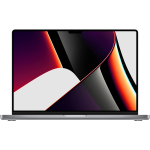
- MacBook Pro 16-inch “M1 Pro power, 16 GPU cores, and 16 inches of “go ahead, open another app.””
- MacBook Pro 16-inch “Serious performance. Seriously good deal.”
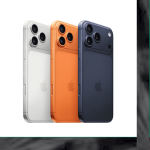
- iPhone Air “Thin enough to disappear in your pocket. Powerful enough to steal all your attention.”
- Mac mini w/23-inch Display “Less chaos. More aluminum.”
- DENVER MAC REPAIR IS PURCHASING APPLE DEVICES!!




Denver Mac Repair is not associated with Affirm, see app (click logo above) for terms, conditions and detail.
Also visit Boulder Mac Repair – 2525 Broadway, Boulder CO 80304
Boulder Mac Repair – Macs for Sale
See shop for current availability. Apple equipment sales are final.
Any errors are wholly unintentional and we apologize if erroneous information is reflected in merchandise price, item availability, or in any way affects your individual order.
Denver Mac Repair reserves the right to correct any errors, inaccuracies or omissions and to change or update information at any time without prior notice.
Denver Mac Repair reserves the right to cancel any promotion, or offer at any time and for any reason.


MacBook Air 13-inch "Big M2 energy in a sleek little MacBook Air—fast, featherlight, and ready to make your workload jealous." | Denver Mac Repair

MacBook Air 13-inch "Big M2 energy in a sleek little MacBook Air—fast, featherlight, and ready to make your workload jealous." -
Product SKU: VJXQM43P4W
Product Brand: Apple
Product Currency: USD
Product Price: 799
Price Valid Until: 2027-12-31
Product In-Stock: InStock


