
MacBook Air 13-inch $595
MacBookAir10,1


| MacBook Air 13-inch |
|---|
| “Sleek, speedy, and seriously capable“ |
| The 2020 13-inch MacBook Air with Apple Silicon M1 is not merely a machine; it is a platform that blends efficiency, responsiveness, portability, and ecosystem synergy. Ideal users are those who leverage these strengths daily, across work, learning, creation, collaboration, and entertainment. The combination of Apple’s M1 chip and macOS 26 Tahoe creates a cohesive, fluid user experience that enables productivity without friction. |
LEARN MORE
| The 2020 13-inch MacBook Air with Apple Silicon M1 is not merely a machine; it is a platform that blends efficiency, responsiveness, portability, and ecosystem synergy. Ideal users are those who leverage these strengths daily, across work, learning, creation, collaboration, and entertainment. The combination of Apple’s M1 chip and macOS 26 Tahoe creates a cohesive, fluid user experience that enables productivity without friction. The sections below unpack key technical elements and align them to distinct needs — from CPU performance to connectivity — and culminate in a composite portrait of the best-suited user profiles. Apple Silicon M1 — Performance, Efficiency, and Intelligent Workflows The Apple M1 System on a Chip (SoC) is central to the value proposition. Unlike prior Intel-based Air models, the M1 integrates CPU, GPU, Neural Engine, and unified memory on a single efficient package. This delivers: High single-core performance: Fast responsiveness in everyday apps (e.g., Safari, Notes, Mail). Strong multi-core performance: Capable of handling parallel tasks such as large spreadsheets and secondary workloads. Energy efficiency: Sustained performance without significant thermal throttling. Neural Engine enhancements: Machine-learning acceleration for tasks like image analysis and transcription. Who Benefits Most from the M1 SoC? Knowledge workers — writers, analysts, editors — experience near-instantaneous application launch and completion of CPU-intensive operations. Multitasking feels fluid; switching between browser tabs, text editors, and communication tools happens without delay. Students produce documents, annotate PDFs, and run virtual collaboration apps with consistent responsiveness. The M1’s efficiency also translates into long battery life — useful for classrooms, libraries, and study sessions without frequent charging. Creators on the go — photographers doing light edits, podcasters organizing tracks, and video creators preparing previews — exploit the GPU and Neural Engine. While heavy post-production happens on larger machines, this Air excels at real-time previews and preparation work. In short, the M1 chip makes this Air feel more capable than its form factor implies. Ideal users are those who expect smooth responsiveness across daily tasks — from creative workflows to data manipulation — without perceivable lag. 8 GB Unified Memory — Optimized Responsiveness and Multitasking The 8 GB unified memory in the M1 Air is not a traditional split between CPU and GPU; it’s a shared pool that facilitates efficient data movement. Unified memory maximizes throughput and reduces bottlenecks during multitasking. Workloads That Leverage Unified Memory Well Web browsing with multiple tabs: Apps like Safari and Chrome keep session states responsive even under heavy tab counts. Productivity suites: Microsoft 365, iWork, and Google Workspace tools feel fluid with document edits, collaborative comments, and real-time syncing. Virtual learning environments: Zoom or Teams alongside note apps and browser resources run concurrently with minimal slowdown. Light creative tools: Pixelmator Pro and Affinity apps operate efficiently within the memory constraints thanks to M1 optimizations. User Types Who Maximize Memory Efficiency Remote and hybrid workers juggle email, chat, task management, and browser tabs throughout the day. The unified memory allows multiple apps to remain active and resume quickly. Writers and academic researchers often switch between documents, citation managers, and reference browsers. The unified memory ensures context switches are fast. Entrepreneurs and solopreneurs who use cloud apps, spreadsheets, CRM platforms, and content planning tools find that 8 GB memory is sufficient for sustained workflows. In essence, the unified memory architecture supports users who value fluid multitasking without perceptible memory constraints in their core daily applications. 1 250 GB SSD — Local Storage for Files, Applications, and Projects The 1 250 GB solid-state drive offers a balance between capacity and performance. SSDs deliver rapid access times, low latency, and fast boot and app load times. Storage Benefits for Daily Users Local repositories for documents, media, and project files. Fast access to large files — especially video clips and high-resolution images. App responsiveness improves because macOS caches and index services operate swiftly. Time Machine backups run efficiently and reliably. Who Utilizes This Storage Optimaly? Students and educators store lecture recordings, research data, and class materials locally without constant dependency on external storage. Freelancers and consultants keep documents, project assets, and client deliverables organized on a single machine, with room for growth. Creators and hobbyists benefit from local storage that accommodates photo libraries, audio projects, and sampled media for creative applications. The SSD size is attractive to users who balance on-device access to files with cloud ecosystems, enabling offline productivity without storage anxiety. Force-Touch Trackpad and Full-Size Keyboard with Touch ID — Interaction and Security The MacBook Air’s Force-Touch trackpad and full-size keyboard with integrated Touch ID elevate interaction quality: Force-Touch trackpad: Uniform click feel, pressure-sensitive gestures, and precision cursor control. Full-size keyboard: Comfortable, low-travel keys with reliable tactile feedback. Touch ID: Secure authentication for logins, purchases, and passwords — without typing complex credentials. Who Gains From these Input and Security Features? Writers, editors, and analysts appreciate the ergonomic typing surface for long sessions. Professionals in regulated industries (e.g., finance, law) value Touch ID for secure access to sensitive information. Everyday users enjoy a smooth cursor experience and a keyboard that supports extended productivity. These features satisfy users who value effortless interaction, secure authentication, and a premium typing/cursor experience in daily computing. Apple Graphics — Visual Fidelity Across Applications The integrated Apple Graphics in the M1 chip delivers: Efficient rendering for UI animations and transitions. Hardware-accelerated video playback for H.264, HEVC, and other codecs. Smooth playback of high-resolution content. Acceleration in supported creative apps like Adobe Lightroom and Pixelmator Pro. User Scenarios That Leverage Apple Graphics Content consumers enjoy crisp streaming of 4K and high-definition video content without dropped frames. Photo editors see responsive zooming, panning, and adjustments on high-resolution images. Casual designers benefit from fluid UI and export workflows in web graphics and social media imagery. This component suits users who value visual performance in both creative work and media consumption. 720p FaceTime HD Camera — Collaboration and Personal Communication Although measured against newer camera standards, the 720p FaceTime HD camera delivers reliable video quality for: Virtual meetings Lectures and seminars Remote collaboration Social video chats With macOS 26 Tahoe’s enhancements to video processing and noise reduction, users experience clear and consistent video presence. Who Leverages This Camera Most? Remote workers maintain professional communication in team calls. Students attend online classes with clear visuals. Content creators use video calls for interviews, critiques, and client consultations. Family communicators share face-to-face moments with loved ones from anywhere. This camera supports users who value consistent connectivity in visual communication. Connectivity — Wi-Fi 6, Bluetooth 5.0, and Thunderbolt/USB 4 Wi-Fi 6 Faster throughput and better performance in congested networks. Lower latency for streaming and collaborative tools. Improved battery efficiency during wireless use. Bluetooth 5.0 Stable connections to peripherals. Lower power usage for devices like AirPods and trackpads. Extended range and reliability. Thunderbolt/USB 4 Ports High-speed data transfer External displays support Docking and expansion for creative workflows Users Who Benefit from Modern Connectivity Professional nomads who rely on fast Wi-Fi in coworking spaces and cafés. Peripheral-heavy users who connect external drives, displays, and interfaces. Collaborators who engage in high-bandwidth sharing and streaming sessions. Audio/video creators who transfer large files rapidly or connect staging gear. Connectivity ensures that the Air fits seamlessly into modern, connected work environments. macOS 26 Tahoe — Ecosystem Advantages and Software Synergy The macOS ecosystem delivers: Continuity and Handoff with iPhone and iPad. Universal apps optimized for Apple Silicon with high performance. Built-in security protections and privacy controls. iCloud integration for seamless file access. Shortcuts, Focus modes, and productivity tools to shape workflows. Who Benefits from macOS Integration? Users entrenched in the Apple ecosystem — iPhone, iPad, Apple Watch — experience seamless content flow. Professionals in document-centric environments leverage Notes, Pages, and collaboration features. Security-minded individuals value continuous software updates and enhanced protections. This operating system binds hardware strengths to intuitive, powerful experiences. Price-to-Value Positioning — $595 with Warranty (Original $999) At $595 with warranty, this machine is an exceptional value proposition. It combines: High performance at an accessible price point. A balanced specification that meets most everyday needs. Long lifespan thanks to Apple Silicon and macOS support. Users Who Appreciate Value Without Compromise Students and lifelong learners find an affordable professional-grade laptop that lasts throughout academic programs. Startups and small business owners gain a reliable workhorse that supports productivity tools without budget strain. Freelancers and consultants secure a durable platform for client work across domains. Everyday professionals transition into a Mac experience with premium performance and ecosystem benefits at a competitive price. Composite Portrait — The Ideal User Archetypes Drawing together all features, the following archetypes represent the users who are best suited for this MacBook Air: The Productivity-Focused Professional Works across documents, spreadsheets, and communication tools. Requires responsive multitasking and consistent performance. Appreciates Touch ID-enhanced security and Wi-Fi 6 connectivity. Uses cloud and local storage to organize workflows. Integrates iPhone and iPad as part of daily routines. The Academic and Student Organizer Takes notes, completes assignments, and attends virtual classes. Uses research tools and collaborative apps seamlessly. Benefits from battery longevity and portable design. Exploits macOS productivity features like Focus and Shortcuts. The Remote and Hybrid Worker Participates in video calls and collaborative environments. Connects peripherals for enhanced productivity. Values stable connectivity and cross-device workflows. Works from home, cafes, coworking spaces, and travel. The Creative Hobbyist and Light Producer Edits photos and organizes media libraries. Prepares creative assets for publishing and sharing. Uses graphics-accelerated tools and high-speed storage. Enjoys media creation and consumption. The Value-Minded Explorer Prioritizes performance per dollar spent. Seeks a durable, lasting laptop experience. Embraces macOS ecosystem advantages. Enjoys work, play, communication, and creativity on one machine. The 2020 13-inch MacBook Air with Apple Silicon M1 (8 GB RAM, 1 250 GB SSD) is best suited for those who: Demand fast, fluid responsiveness across daily tasks. Value efficient multitasking and system integration. Leverage connectivity and collaboration in work and learning. Appreciate security, comfort, and intuitive interaction. Desire premium performance at an accessible price. This laptop is an ideal choice for professionals, students, hybrid workers, creators, and everyday users who want capability without complexity, power without bulk, and versatility without compromise. It empowers users to focus on what matters — creation, connection, analysis, and expression — with confidence and enjoyment. |
| Features Support for Apple Intelligence. |
| Denver Mac Repair Warranty 30 days from purchase, excludes cosmetic damage, Extended Warranty available. |
Check Out these other Available Macs and Apple devices!
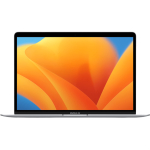
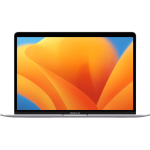
- MacBook Air 13-inch “Big M2 energy in a sleek little MacBook Air—fast, featherlight, and ready to make your workload jealous.”

- MacBook Air 13-inch “Small in size, mighty with M1—this MacBook Air brings big energy to your everyday adventures.”
- MacBook Air 13-inch “Light on its feet, loaded with storage, and powered by M1 magic.”
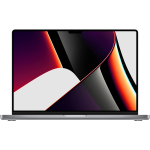
- MacBook Pro 16-inch “M1 Pro power, 16 GPU cores, and 16 inches of “go ahead, open another app.””
- MacBook Pro 16-inch “Serious performance. Seriously good deal.”
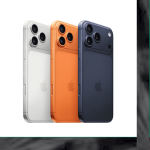
- iPhone Air “Thin enough to disappear in your pocket. Powerful enough to steal all your attention.”
- Mac mini w/23-inch Display “Less chaos. More aluminum.”
- DENVER MAC REPAIR IS PURCHASING APPLE DEVICES!!




Denver Mac Repair is not associated with Affirm, see app (click logo above) for terms, conditions and detail.
Also visit Boulder Mac Repair – 2525 Broadway, Boulder CO 80304
Boulder Mac Repair – Macs for Sale
See shop for current availability. Apple equipment sales are final.
Any errors are wholly unintentional and we apologize if erroneous information is reflected in merchandise price, item availability, or in any way affects your individual order.
Denver Mac Repair reserves the right to correct any errors, inaccuracies or omissions and to change or update information at any time without prior notice.
Denver Mac Repair reserves the right to cancel any promotion, or offer at any time and for any reason.


MacBook Air 13-inch “Sleek, speedy, and seriously capable" | Denver Mac Repair

MacBook Air 13-inch “Sleek, speedy, and seriously capable" - M1 250 GB Solid State Drive 8 GB RAM macOS 24 Tahoe Apple Silicon with Apple Intelligence Support
Product SKU: FVFG84W3Q6LC
Product Brand: Apple
Product Currency: USD
Product Price: 595
Price Valid Until: 2026-12-31
Product In-Stock: InStock


