
MacBook Air 15-inch $895
Mac14,15

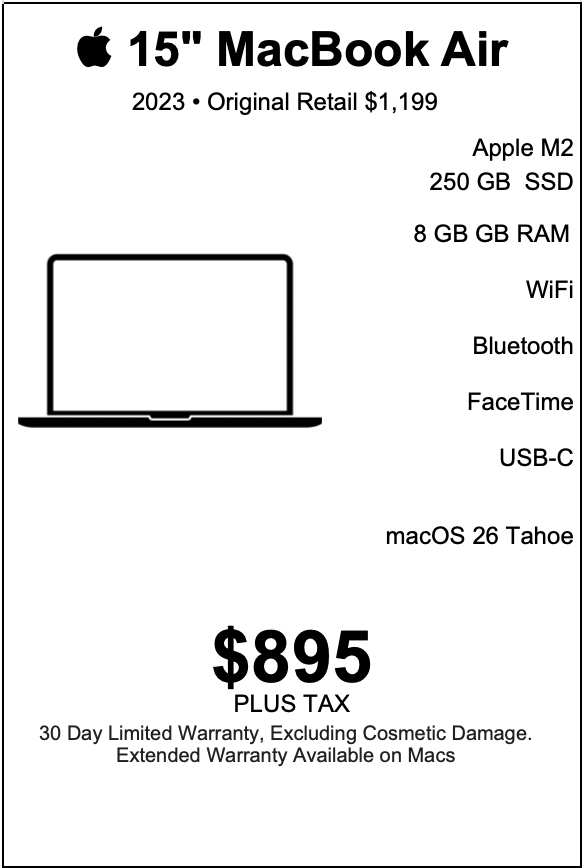
| MacBook Air 15-inch |
|---|
| “Big screen energy, Air-light attitude — a seriously capable Mac at a not-so-serious price.” |
| The 2023 15-inch MacBook Air with Apple Silicon M2, 8 GB of unified memory (RAM), 250 GB solid state storage, Apple graphics, a 15.3-inch LED-backlit IPS display, 1080p FaceTime HD camera, Wi-Fi 6 (802.11ax), Bluetooth 5.3, two Thunderbolt / USB 4 ports, Force-Touch trackpad, a full-size U.S. keyboard with 78 keys (including four arrow keys), and an integrated Touch ID sensor fits a very specific kind of person exceptionally well: someone who values a large, comfortable screen in a light, refined laptop; someone who thrives on speed and simplicity in everyday computing; and someone who wants a premium Mac experience at an especially compelling price—$895 with warranty—while the original retail sits at $1,199. This configuration suits people who move frequently between contexts (home, office, classroom, client sites, cafés, airports), who communicate and create daily, and who want their computer to feel immediate, clean, and confidence-building every time they open the lid. |
LEARN MORE
| The “large-screen minimalist” who wants space to think A major reason the 15-inch MacBook Air becomes someone’s ideal machine is the screen. The 15.3-inch diagonal display, with LED backlighting and IPS technology, gives a sense of calm and roominess that immediately changes how work feels. The best-suited user is someone who thinks visually, keeps several windows open, and enjoys seeing a document, a browser, a calendar, and a chat thread side-by-side in a way that stays readable. This person often describes their ideal laptop experience in terms of “breathing room.” They enjoy a clean desktop layout, larger fonts, and a comfortable viewing area that reduces visual friction. They appreciate that IPS technology supports consistent color and viewing angles, so the screen looks steady during quick posture changes—leaning back in a chair, shifting the laptop on a couch, rotating it slightly during a meeting. They also tend to value a laptop that disappears into the background while they focus on the content in front of them. In that sense, the MacBook Air’s large display fits the mindset of a minimalist: fewer compromises, fewer reasons to connect an external monitor for everyday work, and a more complete experience the moment the device opens. Students who live in research, writing, and presentation mode The 2023 15-inch MacBook Air configuration suits a wide range of students, especially those in programs where reading, writing, and presenting happen daily. The large screen supports research workflows: a PDF on one side, notes on the other; a lecture slide deck open while a study guide gets built; a browser full of tabs organized into a coherent outline. The full-size U.S. keyboard with 78 keys, including four arrow keys, directly supports long writing sessions. Students in humanities, social sciences, law-adjacent studies, business, education, and many STEM tracks appreciate a keyboard that feels stable and consistent for hours. Arrow keys matter in practice: moving through lines of text, refining citations, stepping through code snippets in a class project, or navigating spreadsheets with precision. The best-suited student is someone who spends real time editing—revising essays, refining lab writeups, improving scholarship applications, polishing slides, and iterating on drafts. Touch ID fits student life particularly well. Many students move quickly between campus spaces, study groups, and shared environments. Touch ID makes sign-in and authorization feel natural and immediate. That convenience encourages good security habits because authentication stays effortless. The 1080p FaceTime HD camera supports modern academic reality: office hours over video, remote tutoring, hybrid classes, study groups, internship interviews, advising sessions, scholarship panels, and club meetings. A clear camera matters when a student wants to appear prepared and professional, especially when competing for research roles, leadership positions, or internships. With Wi-Fi 6 and Bluetooth 5.3, the MacBook Air fits into the wireless life of a campus: connecting to fast networks, pairing with headphones for a library session, using a wireless mouse for comfort, and sharing audio during group work. It becomes a stable academic hub that carries from lecture hall to dorm to café. Students also benefit from the combination of portability and screen size. The 15-inch Air suits the student who wants the comfort of a larger screen while still carrying a device that stays sleek and easy to move. It becomes a single daily driver that supports both deep study and everyday life. Writers, editors, and knowledge workers who measure value in flow A large group of people fits this MacBook Air perfectly: writers, editors, analysts, coordinators, operations staff, project managers, and general knowledge workers. Their day revolves around communication and documentation. They write proposals, policies, meeting notes, SOPs, customer responses, internal updates, training material, and strategic briefs. They also live inside calendars, email, messaging platforms, web dashboards, and documents. For this group, the MacBook Air’s core strengths align tightly with what matters: speed in everyday interactions and comfort during long sessions. The Force-Touch trackpad supports precise cursor control and smooth navigation across documents and web apps. The keyboard supports long typing days. The large display supports side-by-side work: a draft on the left and reference material on the right; a spreadsheet open while a narrative report takes shape; a project plan visible next to a meeting agenda. The Apple Silicon M2 platform supports the “always ready” feel that knowledge workers value. Apps open quickly, switching feels fluid, and the computer stays responsive during common multi-app routines. That sense of responsiveness is more than performance; it shapes mood and productivity. The best-suited knowledge worker wants a laptop that keeps momentum intact. macOS 26 Tahoe, as you describe it, serves as a modern foundation for workflows that rely on organization. This user values system consistency, strong window management habits, smooth integration across everyday apps, and a stable, professional environment for getting work done. At $895 with warranty, the value proposition becomes especially strong for this group. Many knowledge workers want a premium feel and strong reliability without pushing budgets upward. This price anchors the MacBook Air as a rational purchase that still feels like an upgrade. Remote and hybrid professionals who depend on strong presence The best-suited remote or hybrid professional wants to look and sound credible on calls, and they want collaboration tools to feel seamless. The 1080p FaceTime HD camera supports a crisp, professional look. The large 15.3-inch screen supports video calls while keeping supporting material visible: an agenda, a document, a ticket queue, a CRM tab, or a set of meeting notes. Two Thunderbolt / USB 4 ports support the flexible desk setups common in hybrid life. This user sometimes works from a kitchen table, sometimes from a dedicated office, sometimes from a coworking space. Thunderbolt and USB 4 keep connectivity modern: docking solutions, external displays, high-speed storage, audio interfaces, and adapters integrate smoothly when needed. The best-suited professional appreciates that a single cable workflow exists when they want it: plug in, expand, work. Wi-Fi 6 suits the reality of cloud-based work. A remote professional often relies on web apps, shared drives, streaming collaboration tools, and continuous sync. Fast, modern wireless supports a stable experience. Touch ID supports a remote professional’s security posture. They authenticate frequently—password managers, system prompts, browser sign-ins, and enterprise tools. Touch ID reduces friction in a way that keeps security habits consistent and easy. This MacBook Air suits the remote worker who cares about presentation, clarity, and calm efficiency. It supports the goal of showing up polished and prepared in every digital room. Small business owners and operators who need a dependable daily driver Many small business owners choose their laptop based on one criterion: it makes the business run smoothly. They live in invoices, email, scheduling, banking dashboards, inventory tools, marketing platforms, and customer communication. They want a computer that feels professional and stable. The 15-inch MacBook Air supports that pattern well. The larger screen helps when scanning financial dashboards, building quotes, editing product listings, planning social content, or reviewing weekly schedules. The keyboard and trackpad support fast, confident navigation through administrative work. The M2 chip supports the multitasking typical of small business life: multiple browser windows, spreadsheets, PDFs, accounting apps, and communication tools open together. Unified memory (8 GB) supports fluid day-to-day routines in the macOS environment for many common business workflows. The best-suited small business owner values a machine that stays quick in the tasks that actually happen all day. The $895 price with warranty resonates in small business contexts because it represents a strong capital decision. A device that originally retails at $1,199 becomes accessible at a meaningfully lower cost while still carrying coverage. That combination—premium Mac experience plus warranty plus a sharp price—fits a practical, value-aware operator. This laptop also suits client-facing entrepreneurs. When meeting clients in person or over video, the device projects a modern and professional presence. It supports the brand image a small business owner wants: competent, organized, current. Creators focused on everyday content and brand building A “creator” is a broad label, so it helps to be precise about the best match: this MacBook Air fits creators who produce consistently and efficiently across common formats—short-form video planning, photo selection and organization, content writing, lightweight design work, podcast planning, social scheduling, newsletters, and general brand operations. The 15.3-inch IPS display supports creative review: checking layouts, selecting images, editing copy with visual context, and managing content calendars. The large screen makes it easier to see timelines, layers, or tool panels while keeping the main canvas visible, depending on the creative application. Apple graphics and the M2 platform support smooth visual interaction across many creative tools. The best-suited creator values responsiveness: scrubbing through clips, previewing edits, arranging sequences, exporting deliverables, and iterating quickly. They also value portability because content creation often happens wherever inspiration strikes—at events, in cafés, on trips, in studios, or at client sites. Bluetooth 5.3 supports creator accessories: wireless headphones, speakers, microphones (via compatible interfaces), and input tools. Wi-Fi 6 supports uploading, syncing, and cloud collaboration—core behaviors for modern creators. The 250 GB SSD supports a practical content workflow that emphasizes organization: active projects on internal storage, archives on external drives or cloud storage, and a clean system that stays responsive. The best-suited creator tends to be disciplined about file organization and appreciates that the laptop stays tidy and fast. At $895 with warranty, this machine fits the creator who invests carefully: premium feel, capable performance, and budget discipline all at once. Professionals who live in Microsoft 365 and Google Workspace A very large segment of modern work happens in documents, spreadsheets, slides, email, and web apps. The best-suited user is someone who uses Microsoft Word, Excel, PowerPoint, Outlook, Teams, OneDrive, SharePoint, or the web versions of these tools—and also someone who uses Google Docs, Sheets, Slides, Gmail, Drive, and Meet. They want a laptop that handles this ecosystem smoothly and looks great doing it. The 15-inch screen supports spreadsheet readability and slide editing in a way that feels more like a desktop workflow than a small laptop experience. This matters for finance staff, operations managers, account managers, coordinators, analysts, and executives—anyone who manipulates grids, builds decks, or reviews documents for clarity. The keyboard supports frequent text entry and editing. The trackpad supports precise selection and navigation, especially in spreadsheets and web dashboards. Touch ID supports quick sign-in across a day full of authentication prompts. This is the person who wants a premium, frictionless experience in everyday tools. The MacBook Air becomes a productivity amplifier because it makes routine work feel smooth, coherent, and well-paced. Sales, customer success, and support roles that require speed and polish Customer-facing roles thrive on responsiveness. Sales professionals move between CRM tabs, proposals, product pages, calendars, call notes, and email threads. Customer success managers review account histories, create onboarding materials, run QBR decks, and manage follow-ups. Support professionals reference knowledge bases, track tickets, replicate customer issues, and document solutions. This MacBook Air suits these roles because it supports fast context switching and confident communication. The large screen helps keep multiple sources visible: customer notes beside an email draft, a dashboard beside a call window, a knowledge base beside a ticket queue. The 1080p camera supports a professional presence during customer calls. The integrated Touch ID supports secure access to customer systems and internal tools. Wi-Fi 6 supports stable connectivity in dynamic work environments. At $895 with warranty, this configuration supports organizations and individuals who want to standardize on a strong Mac platform without stretching budgets. It offers a polished customer-facing tool that feels modern and consistent day after day. Educators, trainers, and facilitators who present and guide Teachers, instructors, corporate trainers, and facilitators value three things: clarity, presence, and smooth delivery. The 15.3-inch screen supports lesson planning and content review. Slide decks look spacious. Notes remain readable while a presentation is prepared. The keyboard supports rapid creation of worksheets, rubrics, and learning materials. The 1080p camera supports remote teaching and coaching. Wi-Fi 6 supports stable participation in live sessions. Bluetooth 5.3 supports pairing audio devices for clear voice delivery and private monitoring. Two Thunderbolt / USB 4 ports support classroom and training environments: connecting to projectors, external displays, capture devices, and adapters as needed. The best-suited educator appreciates that the laptop transitions smoothly from planning mode to presentation mode to administrative mode. Touch ID supports secure access to student systems, grading tools, and institutional platforms with minimal friction. This is the laptop for someone who communicates knowledge and wants their device to feel reliable, clean, and comfortable throughout long teaching days. Consultants and client-service professionals who travel Consultants and client-service professionals often want a laptop that makes them feel prepared in any setting. They present, analyze, write, and meet—often on tight schedules and in unfamiliar environments. The MacBook Air suits them because it offers a large, professional screen in a laptop that remains easy to carry. The best-suited consultant values the 15-inch display for deck reviews, spreadsheet analysis, and document editing while traveling. They appreciate Wi-Fi 6 and Bluetooth 5.3 for modern connectivity in hotels, client offices, and shared spaces. They value the 1080p camera for calls from the road. They value Touch ID because security and speed both matter. Two Thunderbolt / USB 4 ports support the consulting pattern of “plug into whatever is available.” Displays, conference room setups, external drives, and adapters integrate as needed. The laptop becomes a consistent platform across variable client environments. At $895 with warranty, this is also a strong “fleet” choice for small consultancies: it supports a premium client experience and a rational procurement posture. People who manage a personal life as seriously as a work life Many buyers want a laptop that supports the whole life, not only the job. They handle budgets, family calendars, travel planning, photo libraries, personal projects, volunteer work, and ongoing learning. The 15-inch MacBook Air fits this person because it makes everyday life admin feel easy and pleasant. The large screen helps with family scheduling and planning. The keyboard supports journaling, writing, and correspondence. The camera supports staying connected with family and communities. The wireless standards support modern accessories at home. The trackpad supports smooth navigation and comfortable use across long sessions. This person values a laptop that stays consistent: it opens, it feels fast, it looks great, and it supports both serious tasks and enjoyable ones. macOS 26 Tahoe, in your description, provides a unified environment for these habits—keeping information organized and accessible. At $895 with warranty, it becomes a practical upgrade that still feels premium. The “one-laptop” buyer who wants a clear, future-friendly platform Some buyers choose a device because it feels like a long-term home base. They want a single laptop that handles work, communication, school, planning, and creativity. They want a platform that feels modern, secure, and coherent. This MacBook Air suits them because it blends strong core elements: Apple Silicon M2 supports a fast, efficient computing experience across daily workflows. 15.3-inch IPS display supports comfortable work and reading. Force-Touch trackpad supports precision and fluid navigation. Full-size keyboard with Touch ID supports both comfort and convenient security. Wi-Fi 6 and Bluetooth 5.3 support modern wireless life. Thunderbolt / USB 4 ports support modern expansion and desk setups. macOS 26 Tahoe (as you specify) supports a contemporary Mac experience. Warranty at $895 supports purchase confidence and budget clarity relative to the original $1,199 retail. The best-suited “one-laptop” buyer values this balance. They want to feel like they choose wisely: premium quality, sensible configuration, and a price that makes the decision feel strong. People who love a clean desk setup with a single cable workflow Even though the MacBook Air is highly portable, it also fits users who enjoy docking at a desk. Two Thunderbolt / USB 4 ports enable a streamlined setup: an external display, a hub or dock, fast storage, and power delivery through a modern connection path. The best-suited user often works in two modes: mobile and anchored. They want each mode to feel equally polished. At the desk, the 15-inch screen still provides meaningful local workspace even with an external monitor. On the go, it provides enough space to work comfortably in a café or conference room. That “dual identity” suits modern professionals who rotate between environments. People who value secure convenience and fast authentication Touch ID is more than a small feature; for many people, it becomes central to how the laptop feels. The best-suited user appreciates fast sign-in, quick authorization for settings changes, approvals, password manager access, and purchases. They value security as a daily habit, and Touch ID makes that habit frictionless. This matters particularly for professionals who handle sensitive information, entrepreneurs who access financial tools, students who maintain accounts across multiple platforms, and anyone who uses password managers and multi-factor workflows frequently. People who prioritize a premium experience at a strategically attractive price The price point in your description—$895 with warranty compared with a $1,199 original retail—changes who this laptop fits. It becomes ideal for the value-driven buyer who still wants a premium Mac experience. This person often uses language like “smart buy,” “high quality,” “future-friendly,” and “worth it.” They want to spend carefully, and they enjoy getting a strong product at a compelling number. This buyer also appreciates the presence of a warranty because it supports confidence. They value predictability and coverage. They want a device that feels like a stable asset rather than a gamble. For households, this price supports choosing a high-quality laptop for a student or a family member. For small businesses, it supports buying multiple machines with controlled spend. For independent professionals, it supports investing in a tool that enhances daily productivity without stretching finances. A practical “best-suited” summary by persona If you want the most direct answer—who is best suited—this MacBook Air fits these people especially well: Students and academics who read, research, write, and present daily, and who value a large screen in a portable device. Knowledge workers who live in documents, spreadsheets, web apps, email, and calendars and want a smooth, comfortable workflow. Remote and hybrid professionals who rely on video calls, collaboration tools, and quick context switching, and who value a polished presence. Small business owners and operators who need a dependable daily driver for administration, finance, customer communication, and planning. Creators and marketers who produce consistent everyday content and value a responsive system with a comfortable display for review and editing. Consultants and client-service professionals who travel and present, and who want a premium platform that stays mobile and ready. Organized “one-laptop” buyers who want a modern Mac platform as a long-term home base across work and life. Why this exact configuration aligns with those people To make the match explicit, here is how each specification supports the best-suited user’s priorities: Apple Silicon M2: supports fast app launches, fluid everyday multitasking, and a responsive macOS experience. 8 GB unified memory (RAM): supports smooth daily productivity patterns across common apps, browsers, and collaboration tools in typical workflows. 250 GB SSD: supports fast system responsiveness, quick file access, and a disciplined “active projects plus cloud/external archive” organization style. 15.3-inch IPS display: supports comfortable reading, writing, spreadsheet work, slide building, and side-by-side layouts. Force-Touch trackpad: supports precise navigation and a high-control, high-comfort input experience. Full-size keyboard + four arrow keys: supports sustained typing, editing, and navigation across documents and spreadsheets. Touch ID: supports fast, secure authentication as a daily habit. 1080p FaceTime HD camera: supports clear presence in remote work, school, interviews, and client calls. Wi-Fi 6 + Bluetooth 5.3: supports modern wireless connectivity and accessory pairing. Two Thunderbolt / USB 4 ports: supports modern expansion—docks, displays, high-speed drives, adapters—across mobile and desk setups. macOS 26 Tahoe: supports a contemporary, cohesive Mac environment for productivity and organization. $895 with warranty (original $1,199 retail): supports a high-confidence, high-value purchase for individuals, families, and small organizations. |
| Features Support for Apple Intelligence. |
| Denver Mac Repair Warranty 30 days from purchase, excludes cosmetic damage, Extended Warranty available. |
Check Out these other Available Macs and Apple devices!
- iPhone 11 Pro Max “iPhone 11 Pro Max: Big screen, bigger vibes, tiny price — we got your back”

- iMac 24-inch “Sleek, speedy, and ready to make your desk look as sharp as your workflow—grab one and feel the M1 magic!”
- MacBook Pro 13-inch “Still fast, still sharp, still better than any Dell—this is the MacBook that quietly gets it done.”
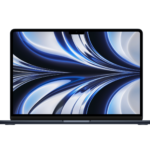
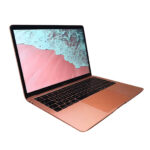
- MacBook Air 15-inch “Fifteen inches of Liquid Retina brilliance, Apple Silicon muscle, and enough battery life to outlast your workday.”
- MacBook Air 15-inch “Fifteen inches of screen, M3 brains, and zero drama — a Mac that just gets things done.”
- MacBook Air 13-inch “Packs 2 TB of storage, 16 GB of memory, and zero excuses for slow mornings.”
- MacBook Air 13-inch “The MacBook Air that does everything most people actually do.”
- MacBook Pro 16-inch “Ridiculous power, absurdly gorgeous display”


Denver Mac Repair is not associated with Affirm, see app (click logo above) for terms, conditions and detail.
Also visit Boulder Mac Repair – 2525 Broadway, Boulder CO 80304
Boulder Mac Repair – Macs for Sale
See shop for current availability. Apple equipment sales are final.
Any errors are wholly unintentional and we apologize if erroneous information is reflected in merchandise price, item availability, or in any way affects your individual order.
Denver Mac Repair reserves the right to correct any errors, inaccuracies or omissions and to change or update information at any time without prior notice.
Denver Mac Repair reserves the right to cancel any promotion, or offer at any time and for any reason.


MacBook Air 15-inch “Big screen energy, Air-light attitude — a seriously capable Mac at a not-so-serious price.” | Denver Mac Repair
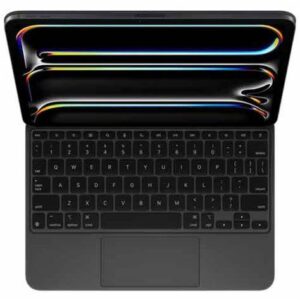
MacBook Air 15-inch “Big screen energy, Air-light attitude — a seriously capable Mac at a not-so-serious price.” -
Product SKU: JXF7D07VTV
Product Brand: Apple
Product Currency: USD
Product Price: 895
Price Valid Until: 2026-12-31
Product In-Stock: InStock