
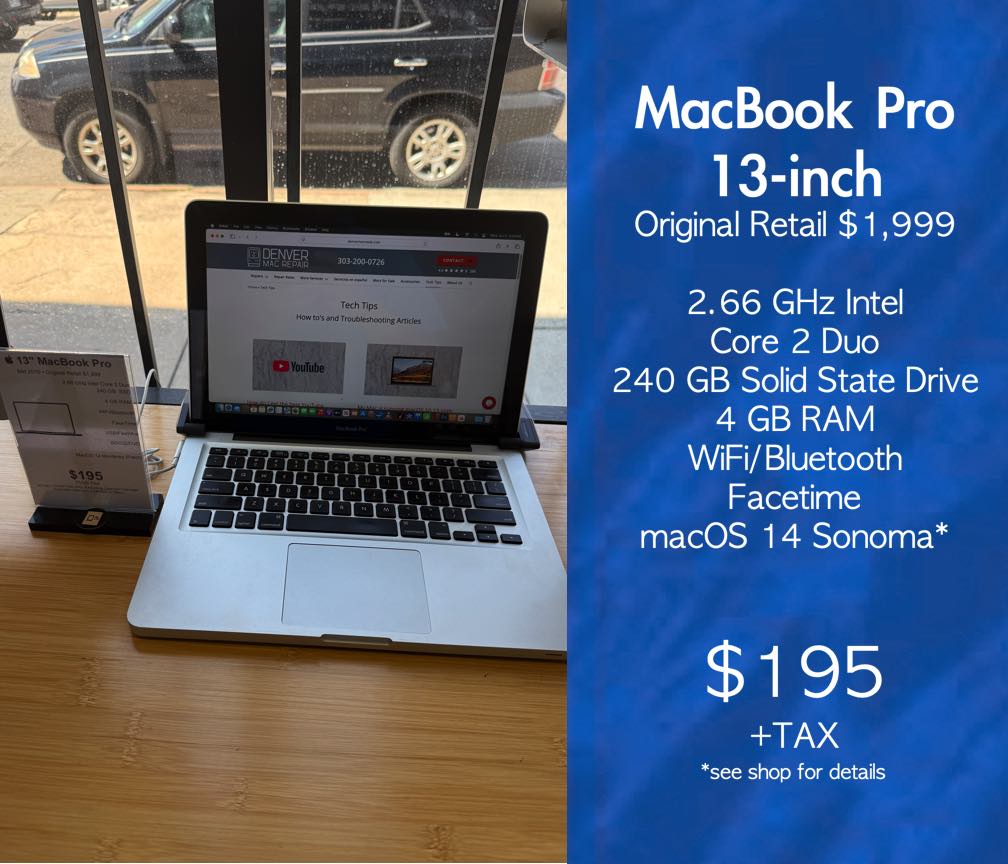
MacBook Pro 13-inch $195
MacBookPro7,1

| MacBook Air 13-inch |
|---|
| “It’s not old, it’s just well-educated.” |
| In a world where “new” often eclipses “enough,” there stands a certain breed of user who sees through the marketing glitz and instead reaches for what works. For them, the 2010 13-inch MacBook Pro—refurbished, upgraded with a 240 GB Solid State Drive, and lovingly tuned to run the latest macOS 15 Sequoia through modern patching—represents the ultimate sweet spot. Priced at only $195 with a warranty yet born from a $1,999 pedigree, this laptop is a quiet powerhouse for the right user: intentional, resourceful, and focused on value-driven computing. This machine isn’t for the spec chaser or the trend follower. It’s for the modern minimalist, the savvy student, the retro-futurist, and the self-reliant digital explorer. With its classic aluminum unibody design, reliable Intel Core 2 Duo processor, and expanded solid-state storage, it’s more than just a blast from the past—it’s a reliable partner in the present. |
LEARN MORE
| A Vintage Machine with Modern Grit The 2010 13-inch MacBook Pro is a rare breed: a machine born in an era when Apple prioritized build quality, keyboard excellence, and forward-thinking connectivity. Now lovingly retrofitted with a 240GB solid-state drive and capable of running macOS 15 Sequoia through modern patching, this MacBook becomes more than a blast from the past. It’s a purposeful, deliberate, and highly functional tool for the right kind of user—someone who values quality, simplicity, and timeless capability. For $195 with a warranty, it’s not just a good deal—it’s a revelation. The Intentional Minimalist There’s a growing movement toward digital minimalism, where users deliberately step away from the chaos of constant updates, upgrades, and distractions. The 2010 MacBook Pro suits this mindset perfectly. It runs beautifully with macOS 15 Sequoia, granting access to today’s software ecosystem without the burden of over-consumption. The intentional minimalist appreciates the simplicity of the Mac’s 78-key keyboard, the familiarity of the built-in iSight camera, and the tactile responsiveness of the Multi-Touch trackpad. They don’t need facial recognition or haptic feedback—they need reliability and clarity. And that’s exactly what this machine offers. The Budget-Conscious Student For students, especially those in liberal arts, philosophy, sociology, literature, or general studies, the 2010 MacBook Pro presents a golden opportunity. It offers everything they need—word processing, cloud access, web research, online classes, PDF reading, even Zoom calls—without the budget burn of a $1,000+ modern machine. With macOS 15 Sequoia running smoothly thanks to the solid-state upgrade and thoughtful patching, the student gets a secure, compatible, and dependable machine that doesn’t need babying. The 240GB SSD offers ample space for essays, presentations, readings, and creative projects. And the $195 price tag means there’s money left over for books, coffee, or tuition. The Writer Who Needs No Distractions There is something poetic about composing words on a machine that echoes the pace of thought instead of rushing it. Writers—especially novelists, journalists, bloggers, and screenwriters—are drawn to the 2010 MacBook Pro for its clean, distraction-free focus. With the full-size keyboard, integrated Touch function row, and no Touch Bar to distract or confuse, writers find their rhythm. The dependable keyboard offers tactile feedback that inspires long writing sessions. With apps like Ulysses, Scrivener, Microsoft Word, and even Final Draft running smoothly on macOS 15 Sequoia, it becomes a writer’s sanctuary. No social noise, no unnecessary notifications—just words flowing onto the page. The Artist and Creative Hobbyist Not every artist wants a thousand-dollar canvas. For those working in vector design, digital painting, or light photo editing, the 2010 MacBook Pro offers surprising capability. The NVIDIA GeForce 320M GPU, while modest by today’s standards, handles software like Affinity Photo, Sketch, older versions of Adobe CS, and Pixelmator with ease. The Multi-Touch trackpad provides intuitive control for gesture-based navigation, and macOS 15 Sequoia offers excellent support for iCloud and modern file formats. Whether painting, designing invitations, or sketching digital art, the artist on a budget will find a reliable creative partner here. The Music Producer Starting Out Bedroom producers, podcasters, and home studio musicians discover a gem in the 2010 MacBook Pro. With its FireWire 800 port—a port long since discontinued but still beloved in legacy audio circles—it connects effortlessly to professional audio interfaces and older studio gear. Paired with GarageBand, Audacity, Reaper, or Logic Pro (depending on your license), this machine can handle multi-track recording, MIDI editing, and audio processing. The SSD dramatically reduces latency, and macOS 15 Sequoia’s Core Audio infrastructure keeps things efficient. With Bluetooth 2.1 + EDR, connecting MIDI controllers or headphones wirelessly is seamless. For only $195, it becomes the cornerstone of a beginner’s or intermediate audio workstation. The Retro Mac Enthusiast There exists a vibrant community of retro Mac lovers—users who appreciate the design language, architecture, and software identity of earlier Macs. For them, the 2010 13-inch MacBook Pro is a collector’s item and daily driver in one. They treasure the MagSafe connector. They adore the lit-up Apple logo. They appreciate the uniform aluminum finish and the comfort of a scissor-switch keyboard. Running the latest macOS 15 Sequoia through OpenCore patching, this machine becomes both a nostalgic artifact and a cutting-edge curiosity. It’s part of history, still evolving. The Independent Repair Advocate This MacBook model is one of the last fully repairable Apple laptops. For users who believe in right-to-repair, sustainability, and modularity, it is an example of peak laptop engineering. They can open it up with a screwdriver, swap in an SSD, upgrade the RAM, clean the fans, and replace the battery without proprietary tools or restrictions. With a proven design that has stood the test of time, it’s no surprise that tech tinkerers and DIYers gravitate to this machine. It encourages learning. It rewards curiosity. And with macOS 15 Sequoia on board, it proves that old doesn’t mean obsolete. The Digital Nomad with a Rugged Spirit While the term “digital nomad” usually conjures images of modern ultrabooks in remote locations, there’s a corner of the nomad world that favors rugged, inexpensive, time-tested gear. This MacBook Pro fits right in. Its solid aluminum body, full keyboard, and proven components are ready to handle coffee shops, co-working spaces, and campsites alike. The SSD ensures fast boot times, even off-grid. Its compatibility with cloud services, iCloud Drive, and offline editing tools make it ideal for writing, basic photo editing, planning, and communication. Plus, at $195, it’s affordable enough to be considered replaceable or secondary, removing the stress of theft, damage, or loss while on the road. The Teacher or Homeschooler with Simple Needs For educators focused on curriculum development, document prep, and video conferencing, the 2010 MacBook Pro offers everything needed and nothing more. macOS 15 Sequoia gives access to Google Classroom, Zoom, Microsoft Office, LibreOffice, and most web-based platforms. The full-size keyboard aids in typing lesson plans, the built-in iSight camera provides just enough resolution for virtual teaching, and the SSD ensures everything moves along quickly. With its 13-inch display and compact size, it’s also highly portable, making it ideal for transitioning between the classroom and home. The Parent Introducing Tech to Their Child When introducing a child to the world of computers, internet safety, and creative software, parents often seek a device that is functional, resilient, and not too precious. The 2010 MacBook Pro fits that bill perfectly. macOS 15 Sequoia offers robust parental controls, and with just 4GB of RAM, multitasking is intentionally limited—reducing distractions and promoting focus. Kids can write, draw, code, and browse educational sites without access to a high-performance machine designed for binge-watching or gaming. At $195, it’s a responsible investment that provides powerful learning opportunities in a safe, manageable environment. The Developer or Coder Who Appreciates Constraints Some software developers thrive under constraints. They like knowing exactly what their hardware can and can’t do, and they design accordingly. For these devs—often working in web development, terminal-based coding, or microservice prototyping—the 2010 MacBook Pro delivers an elegant, efficient platform. Terminal, Homebrew, Sublime Text, Visual Studio Code, and Git all run beautifully on macOS 15 Sequoia. For lightweight coding environments like Node.js, Python, Ruby, and web apps, it performs admirably. And the built-in keyboard? A coder’s dream. The Office Admin or Bookkeeper Sometimes, all that’s needed is a dependable workhorse for managing spreadsheets, sending email, video calling, printing forms, and tracking inventory. For small business owners or office administrators, the 2010 MacBook Pro provides every necessary tool with none of the fluff. macOS 15 Sequoia ensures compatibility with modern printing systems, cloud sync tools, and business apps. The 240GB SSD keeps QuickBooks, Google Sheets, Pages, or Excel running smoothly. At just $195, it’s not a monthly bill—it’s a one-time productivity investment. The Traveler Who Likes to Stay Connected Whether it’s sending postcards by email, backing up travel photos, or hopping on a FaceTime call with family, the 2010 MacBook Pro has the portability, battery efficiency, and dependability that today’s traveler needs. Its aluminum casing is durable. Its keyboard is spill-resistant. And its AirPort Wi-Fi chip keeps the traveler connected at airports, cafes, and hotels. macOS 15 Sequoia brings support for Safari, Mail, Maps, and Messages—ensuring smooth sync with iPhones and iPads via iCloud. And with its affordable cost, it removes the anxiety of traveling with expensive gear. The Historian or Collector of Classic Tech Tech historians and collectors often look for key inflection points in product design and evolution. This MacBook Pro model represents a major turning point: the final form before the Retina transition, before the shift to soldered components, before MagSafe was temporarily retired. Owning and using this machine is like possessing a living museum piece that still functions fluidly in today’s digital landscape. With patched macOS 15 Sequoia, the collector doesn’t just admire the past—they live it actively, with software and features that seamlessly blend old and new. Final Thoughts: The Right Tool for the Right User The 2010 13-inch MacBook Pro is not an underdog—it’s a classic. With its 2.66GHz Core 2 Duo processor, 4 GB of RAM, 240 GB solid-state storage, and the remarkable NVIDIA GeForce 320M GPU, it was ahead of its time. Now, with the ability to run macOS 15 Sequoia via patching, it’s still in the game—tenacious, relevant, and ready. At just $195 with a warranty, it invites a special kind of user—one who values function over fashion, clarity over clutter, and timeless design over fleeting novelty. It’s perfect for those who write, teach, explore, create, repair, build, learn, and reflect. Not everyone needs an M3 chip or edge-to-edge glass. Some just need a keyboard that works, a screen that shines, and a computer that doesn’t try to outsmart them. For those people, this is the one. |
| *Patch is not a natively supported macOS, performance of third party is not guaranteed. Machine can be reverted back to a native macOS at no cost. |
| Denver Mac Repair Warranty 30 days from purchase, excludes cosmetic damage, Extended Warranty available. |
Check Out these other Available Macs and Apple devices!
- MacBook Pro 16-inch “Serious performance. Seriously good deal.”

- MacBook Pro 14-inch “For people whose browser tabs have browser tabs.”
- Mac Studio “Some Macs keep up. This one dares you to dream bigger.”
- iPhone Air “Thin enough to disappear in your pocket. Powerful enough to steal all your attention.”
- iPhone 16 Pro “The phone for people who are tired of hearing, “Storage Full” and ready to hear, “Can you send me those photos?””
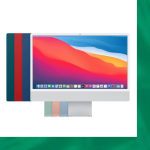
- iMac 21.5-inch “Proof that great Macs don’t retire—they just find new missions.”
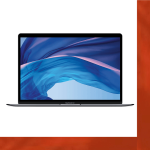
- MacBook Air 13-inch “Light enough to forget it’s in your backpack, powerful enough to make you forget you ever needed anything bigger.”
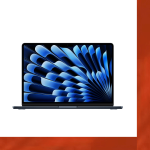
- MacBook Air 13-inch “Proof that traveling light doesn’t mean thinking small.”


Denver Mac Repair is not associated with Affirm, see app (click logo above) for terms, conditions and detail.
Also visit Boulder Mac Repair – 2525 Broadway, Boulder CO 80304
Boulder Mac Repair – Macs for Sale
See shop for current availability. Apple equipment sales are final.
Any errors are wholly unintentional and we apologize if erroneous information is reflected in merchandise price, item availability, or in any way affects your individual order.
Denver Mac Repair reserves the right to correct any errors, inaccuracies or omissions and to change or update information at any time without prior notice.
Denver Mac Repair reserves the right to cancel any promotion, or offer at any time and for any reason.


MacBook Pro 13-inch “It’s not old, it’s just well-educated.” | Denver Mac Repair

MacBook Pro 13-inch “It’s not old, it’s just well-educated.” - 2.66 GHz Intel Core 2 Duo 240 GB Solid State Drive 4 GB RAM macOS 15 Sequoia (Patched)
Product SKU: W80130VGATN
Product Brand: Apple
Product Currency: USD
Product Price: 195
Price Valid Until: 2025-12-31
Product In-Stock: InStock


