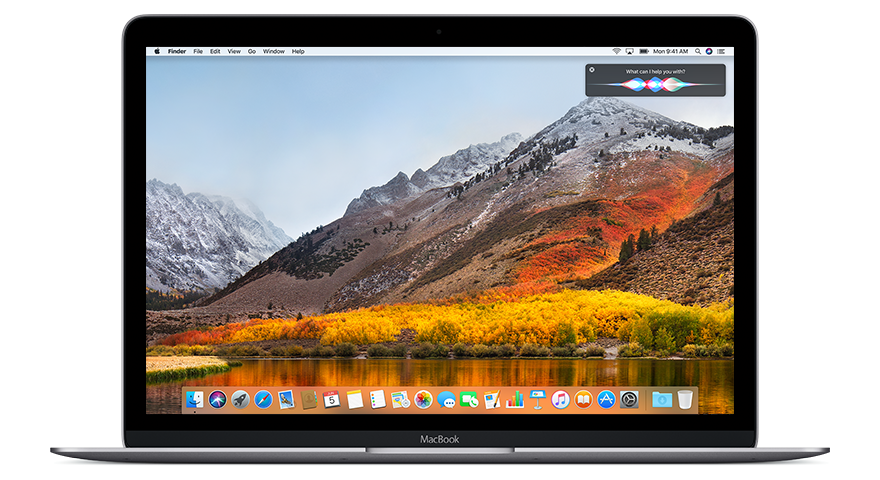
macOS 10.13 High Sierra is the highest supported version on several models of Macs.
macOS 10.13 High Sierra, released on September 25, 2017, was a significant refinement of its predecessor, macOS Sierra. Rather than introducing an overhaul of the user interface, High Sierra focused on foundational technologies that laid the groundwork for future macOS advancements. Apple described it as a release that “puts a new file system, video standard, and graphics technology at the heart of the Mac.” This focus on performance and future-ready features made High Sierra a key transitional update for Mac users and developers alike.
One of the most notable changes in High Sierra was the introduction of the Apple File System (APFS), which replaced the decades-old HFS+ for SSD-equipped Macs. APFS brought faster file operations, improved data integrity, and strong native encryption. It was designed with modern storage devices in mind and provided a solid foundation for performance improvements across the OS. Another major upgrade came with HEVC (H.265) video support, enabling better video compression and higher-quality playback while using less storage space—an essential feature as 4K video content became increasingly common.
High Sierra also introduced Metal 2, the second generation of Apple’s graphics API. Metal 2 enabled better GPU performance for pro applications, machine learning, and external GPU (eGPU) support, appealing especially to developers and creative professionals. Beyond these deep system enhancements, macOS 10.13 brought a number of app-level updates: Photos received a redesigned interface and new editing tools, Safari gained intelligent tracking prevention, and Notes supported tables and pinned notes for better organization.
Although it wasn’t a flashy update in terms of new visual features, High Sierra was a pivotal release that laid the technical groundwork for major innovations in later macOS versions. Its stability and under-the-hood improvements made it a favorite among users who valued performance, efficiency, and long-term support for emerging technologies.
High Sierra represented the last version of macOS to support some of the older models, making it a popular “last stop” for users wanting to keep their aging Macs as functional and secure as possible before Apple ended support for them in later macOS versions.
If you’re running MacOS 10.13, we have the answers to all your questions below.
TABLE OF CONTENTS
What Machines support macOS 10.13?
MacBook (Late 2009 or newer)
MacBook (13-inch, Late 2009)
MacBook (13-inch, Mid 2010)
MacBook Air (Late 2010 or newer)
MacBook Air (11-inch and 13-inch, Late 2010 through 2017)
MacBook Pro (Mid 2010 or newer)
MacBook Pro (13-inch, 15-inch, and 17-inch, Mid 2010 through 2017)
Mac mini (Mid 2010 or newer)
Mac mini (Mid 2010 through 2014)
iMac (Late 2009 or newer)
iMac (21.5-inch and 27-inch, Late 2009 through 2017)
Mac Pro (Mid 2010 or newer)
Mac Pro (Mid 2010 and Mid 2012, with Metal-capable GPU recommended)
Mac Pro (Late 2013)
Important Notes:
APFS Conversion: Only Macs with SSDs were automatically converted to APFS during installation. Macs with traditional hard drives or Fusion Drives retained HFS+ by default, though APFS support could be manually enabled later.
Metal Graphics Requirement: Some features, especially those introduced with Metal 2, required a Metal-compatible GPU. This was particularly relevant for Mac Pros from 2010–2012, which could be upgraded with a compatible GPU to fully support High Sierra’s graphics technologies.
What web browsers are supported under 10.13?
Chromium Legacy is an unofficial, community-maintained build of the Chromium web browser (the open-source base for Chrome) designed to extend modern browser support to older versions of macOS like 10.13, 10.12, and even 10.11.
🔧 Compatibility with macOS 10.13 High Sierra
Fully compatible with macOS 10.13.
Actively maintained (as of 2025) to include security updates and support for modern web standards.
Ideal for users who want a Chromium-based browser but are locked into an older Mac OS version.
Still supports many modern websites and browser extensions from the Chrome Web Store.
🟢 Why Use Chromium Legacy on High Sierra?
Safer and more up-to-date than using outdated official Chrome (which stopped at version 109).
Lighter than Chrome and respects privacy more by default (since it’s not tied to Google).
A great alternative if you don’t want to or can’t upgrade to a newer OS.
📥 Where to Get It
You can download Chromium Legacy from its official GitHub repository:
Chrome dropped support for macOS 10.13 in early 2023.
Version 109 is the last compatible release.
No security updates since then, so it’s not safe for regular use.
4. Brave (Up to version ~1.47)
Based on Chromium, Brave followed Chrome in ending support for 10.13.
Older versions may work, but no current updates or security patches are provided.
5. Vivaldi (Up to version 5.6 or early 2023 builds)
Support for 10.13 has ended, but older versions are still available and run well.
Like other Chromium-based browsers, they are outdated on this OS.
6. Pale Moon (Unofficial Forks)
While Pale Moon doesn’t officially support macOS, third-party builds (like macOS ports of Pale Moon or Basilisk) may still work on 10.13.
Not recommended unless you are technically inclined.
What is the highest version of Microsoft office supported under 10.13?
✅ Microsoft Office 2019 for Mac
Supported macOS versions: macOS 10.12 Sierra through 10.14 Mojave
Included apps: Word, Excel, PowerPoint, Outlook, OneNote
Latest version compatible with 10.13: Office 2019 updates continued for High Sierra until late 2021
Support ended: Microsoft ended support for Office 2019 on macOS 10.13 with updates in October 2021, but it remains fully functional if already installed.
⚠️ Microsoft Office 2021 and Microsoft 365 (formerly Office 365)
Not supported on macOS 10.13.
These require macOS 10.15 Catalina or newer.
🗂️ Alternatives and Options
If you already own or have access to Office 2019, it’s the best full-featured option for 10.13.
If you only need basic editing, you can use:
Office Online via web browser
LibreOffice (still supports 10.13 in many builds)
Google Docs/Sheets/Slides via Firefox ESR or Chromium Legacy
What is the highest version of Adobe Creative Suite supported on macOS 10.13?
✅ Adobe Creative Cloud 2019 (CC 2019)
Last fully compatible version with macOS 10.13
Includes:
Photoshop CC 2019
Illustrator CC 2019
Premiere Pro CC 2019
After Effects CC 2019
InDesign CC 2019
Audition CC 2019
and other 2019-era apps
Released in late 2018, this suite was the final Adobe CC version officially supporting macOS 10.13.
Requires an active Adobe Creative Cloud subscription, but apps from this generation can still be installed if you have access to older installers or use an enterprise account.
🚫 Not Compatible
Creative Cloud 2020 and newer require macOS 10.14 Mojave or later.
Creative Suite 6 (CS6) — the older perpetual-license suite — can technically run on High Sierra, but:
Installation may require workarounds
Some apps (like Premiere Pro CS6) have graphical issues or instability
Adobe no longer supports CS6 officially
🧩 Alternatives for macOS 10.13 Users
If you don’t have access to CC 2019, consider:
Affinity Photo / Designer / Publisher — full-featured creative tools with one-time purchase (still support 10.13 in some versions)
Pixelmator Classic — lightweight image editing
Sketch (older versions) — useful for UI/UX design
GIMP — free and open-source, compatible with 10.13
What is the highest supported version of Avid can I run on macOS 10.13?
✅ Avid Media Composer 2018.12.x
2018.12.3 and 2018.12.4 are the most stable versions tested with macOS 10.13.
Officially compatible with:
macOS 10.13.6 High Sierra
macOS 10.12.6 Sierra (for earlier 2018.x builds)
Released in late 2018 through early 2019.
Final version in the “2018.x” series before Avid moved to the newer UI and more demanding system requirements.
🛑 Not Compatible:
Avid Media Composer 2019.x and newer require macOS 10.14 Mojave or later.
These versions introduced a new user interface and dropped support for High Sierra.
🎞️ Additional Notes:
Avid Application Manager 18.x also supports macOS 10.13.
For Pro Tools, Pro Tools 2018.x is the last version tested with High Sierra, and 2019+ requires macOS 10.14+.
📥 Where to Get It
If you’re an Avid customer:
You can access Media Composer 2018.12.x installers through your Avid Master Account under “My Products and Subscriptions.”
Ensure your Avid licensing (perpetual or subscription) matches the version.
What is the highest supported version of Final Cut can I run on macOS 10.13?
✅ Final Cut Pro X 10.4.6
Released in May 2018, Final Cut Pro X 10.4.6 is the last version officially compatible with macOS 10.13 High Sierra.
It introduced new features like:
Workflow extensions
Advanced color grading improvements
HDR video support (limited by hardware)
Metal-based performance enhancements
🚫 Not Compatible:
Final Cut Pro 10.4.7 and later require macOS 10.14 Mojave or newer.
Later versions added new features and optimizations that depend on Mojave or later system frameworks.
🛠️ Additional Info:
Final Cut Pro 10.4.6 remains fully functional and stable on High Sierra, making it a solid choice for users who can’t upgrade their macOS.
Other companion apps like Motion 5.4.4 and Compressor 4.4.3 also support macOS 10.13.
What is the highest supported version of Logic can I run on macOS 10.13?
✅ Logic Pro X 10.4.8
Released in September 2018, Logic Pro X 10.4.8 is the last version fully compatible with macOS 10.13.
This update brought various bug fixes and performance improvements while maintaining support for High Sierra.
It includes features like:
Alchemy synthesizer improvements
Additional effects and content
Stability and workflow enhancements
🚫 Not Compatible:
Logic Pro X 10.4.9 and later require macOS 10.14 Mojave or newer.
Newer versions rely on frameworks and system features introduced in Mojave and later.
🛠️ Additional Notes:
Logic Pro X 10.4.8 remains a powerful and stable DAW for macOS 10.13 users.
GarageBand updates around this time similarly stopped at versions compatible with High Sierra.
What is the highest supported version of Pro Tools can I run on macOS 10.13?
✅ Pro Tools 2018.11
Released in late 2018, Pro Tools 2018.11 is the last version officially compatible with macOS 10.13.6 High Sierra.
This version includes various stability improvements, new features, and support for the latest hardware available at that time.
It supports AAX plugins, enhanced editing workflows, and improved audio engine performance.
🚫 Not Compatible:
Pro Tools 2019.5 and later require macOS 10.14 Mojave or newer.
Starting with the 2019 releases, Avid dropped official support for High Sierra due to updated system requirements.
🛠️ Additional Info:
If you’re running macOS 10.13, Pro Tools 2018.11 is the most stable and feature-complete option.
You’ll want to ensure your hardware and audio interface drivers are compatible with that Pro Tools version.
What is the highest supported version of Traktor can I run on macOS 10.13?
✅ Traktor Pro 3.2.2
Released in early 2019, Traktor Pro 3.2.2 is the last version officially compatible with macOS 10.13.
This version includes stability fixes and improvements tailored for High Sierra users.
It supports all major hardware controllers and offers core DJ features like track preparation, looping, effects, and remix decks.
🚫 Not Compatible:
Traktor Pro 3.3.0 and newer require macOS 10.14 Mojave or later.
Newer versions leverage system APIs and security features introduced in Mojave and beyond.
🛠️ Additional Info:
Traktor Pro 3.2.2 remains a solid, fully functional version for DJs who cannot upgrade beyond High Sierra.
Native Instruments still provides support and driver updates for compatible hardware on this OS version.
What is the highest supported version of Serato can I run on macOS 10.13?
✅ Serato DJ Pro 2.4.8
Released in late 2019, Serato DJ Pro 2.4.8 is the last version officially compatible with macOS 10.13.
It includes various performance improvements, bug fixes, and compatibility updates for hardware controllers.
Supports core features like Beatgrid, FX, Sampler, and Serato Play.
🚫 Not Compatible:
Serato DJ Pro 2.5.0 and later require macOS 10.14 Mojave or newer.
Later versions rely on system features introduced in Mojave and beyond, dropping support for High Sierra.
🛠️ Additional Notes:
Serato DJ Pro 2.4.8 remains stable and fully functional on macOS 10.13.
To use newer versions or access latest features, upgrading macOS is necessary.
What is a good source for software that runs on macOS 10.13?
For macOS 10.13 High Sierra, finding reliable and compatible software sources is key since many modern apps have dropped support for it. Here are some trusted places and approaches to get software that runs well on 10.13:
A niche community archive specializing in vintage and legacy Mac software — often including freeware and abandonware compatible with older macOS versions like High Sierra.
4. Developer Websites & Archives
Many developers keep archives or offer legacy downloads for older macOS versions.
Examples:
Mozilla for Firefox ESR builds compatible with 10.13
LibreOffice archives
VLC media player older versions
What options do I have to run newer software.
For users running macOS 10.13 High Sierra, Denver Mac Repair offers patching services that can help select Macs upgrade to newer versions of macOS beyond 10.13. This process has specific requirements and limitations, so it’s best to check with us to see if your Mac qualifies and if this upgrade option fits your needs.
We also carry a wide selection of affordably priced used Macs from various years, perfect for users who want reliable hardware compatible with macOS 10.13 or newer. Reach out to Denver Mac Repair to find the right Mac to support your setup.